
How to Create Real Estate Videos for Marketing in Minutes
Real estate moves fast. A new listing can go live in the morning, attract buyer questions by lunch, and need a social-ready video before the end of the day. The challenge is that traditional video production often moves in the opposite direction, with scheduling, filming, editing, voiceover, approvals, and exports all slowing down the launch.
The good news is that creating real estate videos for marketing no longer requires a full production crew for every property. With the right listing assets, a clear structure, and AI-assisted editing, agents can turn photos and property details into polished videos in minutes.
This guide walks through a practical workflow you can use for listing videos, open house promos, price updates, neighborhood highlights, and social media reels without sacrificing quality or brand consistency.
Why real estate video speed matters
Most buyers begin their home search online, and visual content heavily shapes whether they stop scrolling, save a listing, or contact an agent. The National Association of Realtors has consistently reported that online search is central to the home buying process, with listing photos, detailed property information, and visual media playing a major role in buyer decision-making.
For agents, that creates a simple reality: the sooner a listing has a strong video, the sooner it can compete for attention across portals, Instagram, Facebook, TikTok, YouTube Shorts, email campaigns, and agent websites.
Speed also matters because one property often needs more than one video. A single listing may require:
- A short vertical reel for social media
- A polished listing tour for property pages
- A teaser for email or text campaigns
- A neighborhood-focused version for relocation buyers
- A follow-up video for an open house or price adjustment
Trying to produce all of these manually can drain hours from your week. A repeatable video workflow lets you create more marketing assets from the same listing, while keeping the message consistent.
What you need before creating a listing video
The fastest videos start with organized inputs. Before opening any video tool, gather the essentials that tell the story of the property.
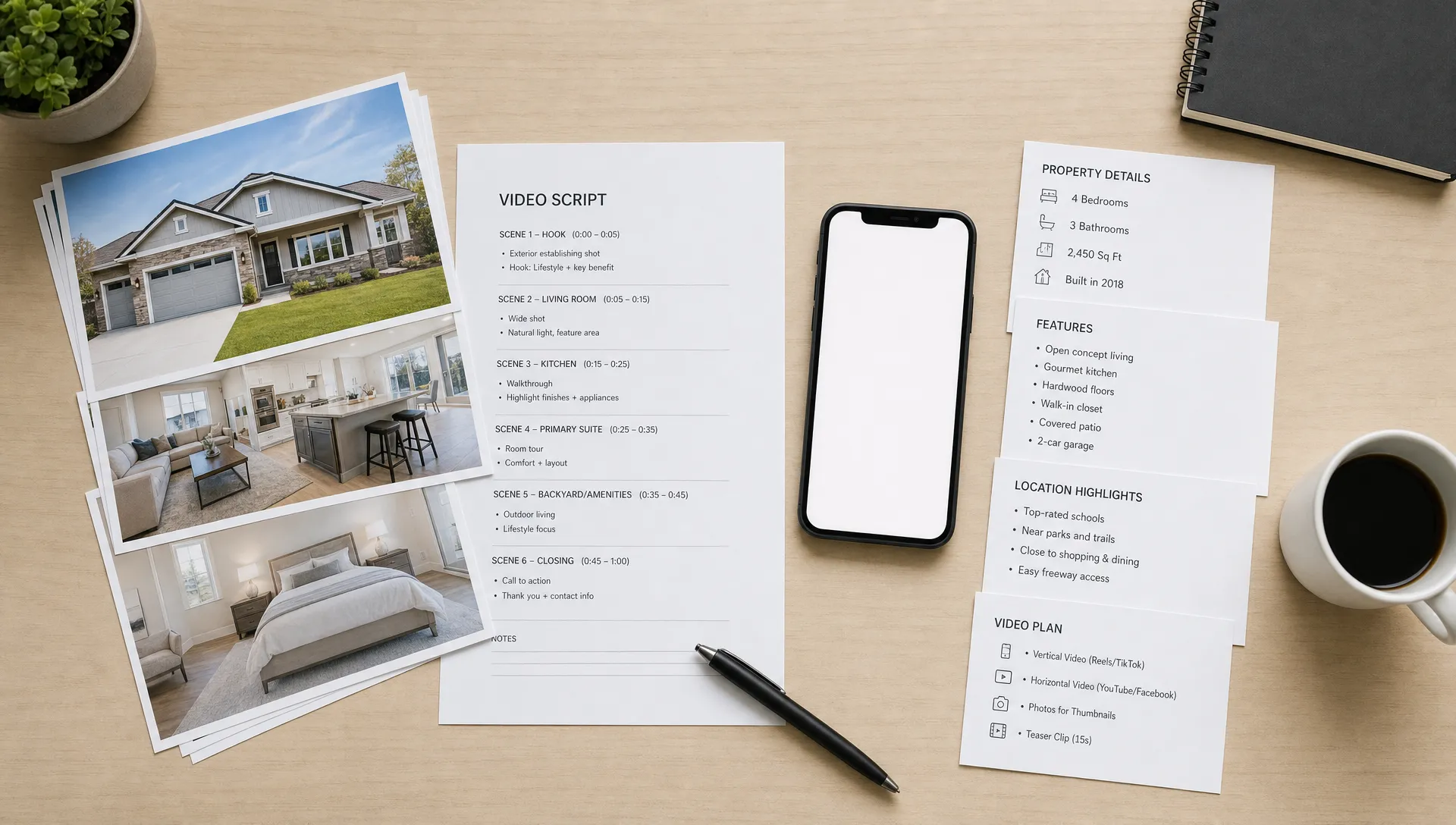
At minimum, you need high-quality listing photos, the address or neighborhood, the asking price if you plan to include it, the number of bedrooms and bathrooms, square footage, standout amenities, and a clear call to action. Your call to action might invite viewers to schedule a showing, attend an open house, message you for details, or visit the full listing.
You should also decide what the video is supposed to do. A video designed to generate showing requests should feel different from a video designed to build your personal brand. The more specific the goal, the easier it is to create a tight, effective video in minutes.
| Video goal | Best format | Ideal length | Key message |
|---|---|---|---|
| Generate buyer inquiries | Vertical social reel | 20 to 45 seconds | Best features and direct CTA |
| Promote an open house | Short event promo | 15 to 30 seconds | Date, time, location, invitation |
| Showcase a premium listing | Cinematic listing video | 45 to 90 seconds | Lifestyle, finishes, setting |
| Reach relocation buyers | Neighborhood video | 30 to 60 seconds | Location benefits and local context |
| Re-engage older leads | Update video | 15 to 30 seconds | New price, new photos, new opportunity |
This simple planning step prevents the most common mistake in real estate video marketing: trying to say everything at once. The best short videos do not recite the entire MLS description. They highlight the few details that make a viewer want to learn more.
A fast workflow for creating real estate videos for marketing
The exact tools you use may vary, but the core workflow is the same: import the listing, choose the story, create the narration, apply branding, review, and publish. When AI handles the repetitive production work, the agent can focus on accuracy, positioning, and client communication.
Step 1: Import the listing instead of rebuilding it manually
Manual data entry is one of the biggest time sinks in real estate marketing. Copying descriptions, downloading photos, renaming files, and rebuilding property details can take longer than the creative work itself.
If your video platform supports listing import, start there. Diane, for example, offers a way to import a real estate listing in one click, pulling property details and photos from an existing listing so you can move straight into video creation.
This matters because speed and consistency go together. When the listing information comes directly from the published source, you reduce the risk of typos, missing details, or mismatched feature counts. You should still review every detail before publishing, but you are not starting from a blank page.
Step 2: Choose the best photos for a video sequence
A listing gallery is not automatically a good video. Photos need to be arranged in a sequence that feels natural to the viewer.
Think of the video like a guided showing. Start with the exterior or strongest first impression, then move into the living area, kitchen, primary bedroom, bathrooms, outdoor spaces, and community or neighborhood shots if available. If the home has a standout feature, such as a renovated kitchen, mountain view, pool, private terrace, or walkable location, bring it forward early.
Avoid overloading the video with too many similar images. Five kitchen angles may be useful in a listing gallery, but in a 30-second reel they can feel repetitive. Select the images that help the viewer understand flow, light, condition, and lifestyle.
A good rule of thumb is to match image count to video length:
| Video length | Suggested number of images | Best use case |
|---|---|---|
| 15 seconds | 5 to 7 images | Teaser, open house reminder |
| 30 seconds | 8 to 12 images | Social media listing reel |
| 60 seconds | 14 to 20 images | Full listing overview |
| 90 seconds | 20 to 30 images | Luxury or complex property story |
The goal is not to show every corner. The goal is to make someone interested enough to request the full listing or schedule a visit.
Step 3: Turn listing details into a short video script
The script should sound like a confident agent introducing the property, not like a database reading square footage aloud. Start with a hook, support it with three or four specific highlights, then end with a call to action.
For example, instead of opening with "Three-bedroom, two-bath home with 1,850 square feet," you might say: "If you are looking for a move-in ready home with natural light, updated finishes, and an easy commute, this one deserves a closer look."
Then use the listing details to support that promise. Mention the renovated kitchen, open living space, primary suite, backyard, school district, transit access, or local amenities only if they are accurate and relevant.
A practical 30-second script structure looks like this:
- Hook: One sentence that frames the buyer benefit.
- Highlights: Three property features that make the listing memorable.
- Context: One location or lifestyle detail.
- CTA: One clear next step.
If you want more inspiration before scripting, Diane’s guide to real estate video ideas that help listings get noticed can help you think beyond the standard property tour.
Step 4: Add narration, an avatar, or your own presence
Narration gives structure to a real estate video. It tells viewers what to notice, why it matters, and what to do next. Without narration or captions, many listing videos become a silent slideshow that relies too heavily on the viewer to interpret the property.
There are several ways to handle presentation. You can record your own voice, use voice cloning where available, choose AI narration, appear on camera, or use an AI avatar. Each approach has a place.
| Presentation style | Strength | Best for |
|---|---|---|
| Agent voiceover | Personal and familiar | Relationship-based marketing |
| Voice cloning | Scalable while keeping your sound | High-volume listing promotion |
| AI avatar | Consistent on-screen presenter | Fast multilingual or repeatable videos |
| Agent on camera | Strong trust and local authority | Brand building and luxury listings |
| Text-led captions | Works well with sound off | Short social media clips |
Diane supports AI avatar presentation and voice cloning narration, which can help agents create narrated videos without recording from scratch every time. That is especially useful when you need multiple versions of the same listing video for different platforms or languages.
Regardless of the method, keep the tone conversational. Buyers do not need a dramatic commercial voice for every property. They need clarity, confidence, and a reason to take the next step.
Step 5: Format the video for where it will be published
A video that looks great on a listing page may not perform well as a vertical reel. Before exporting, decide where the video will go.
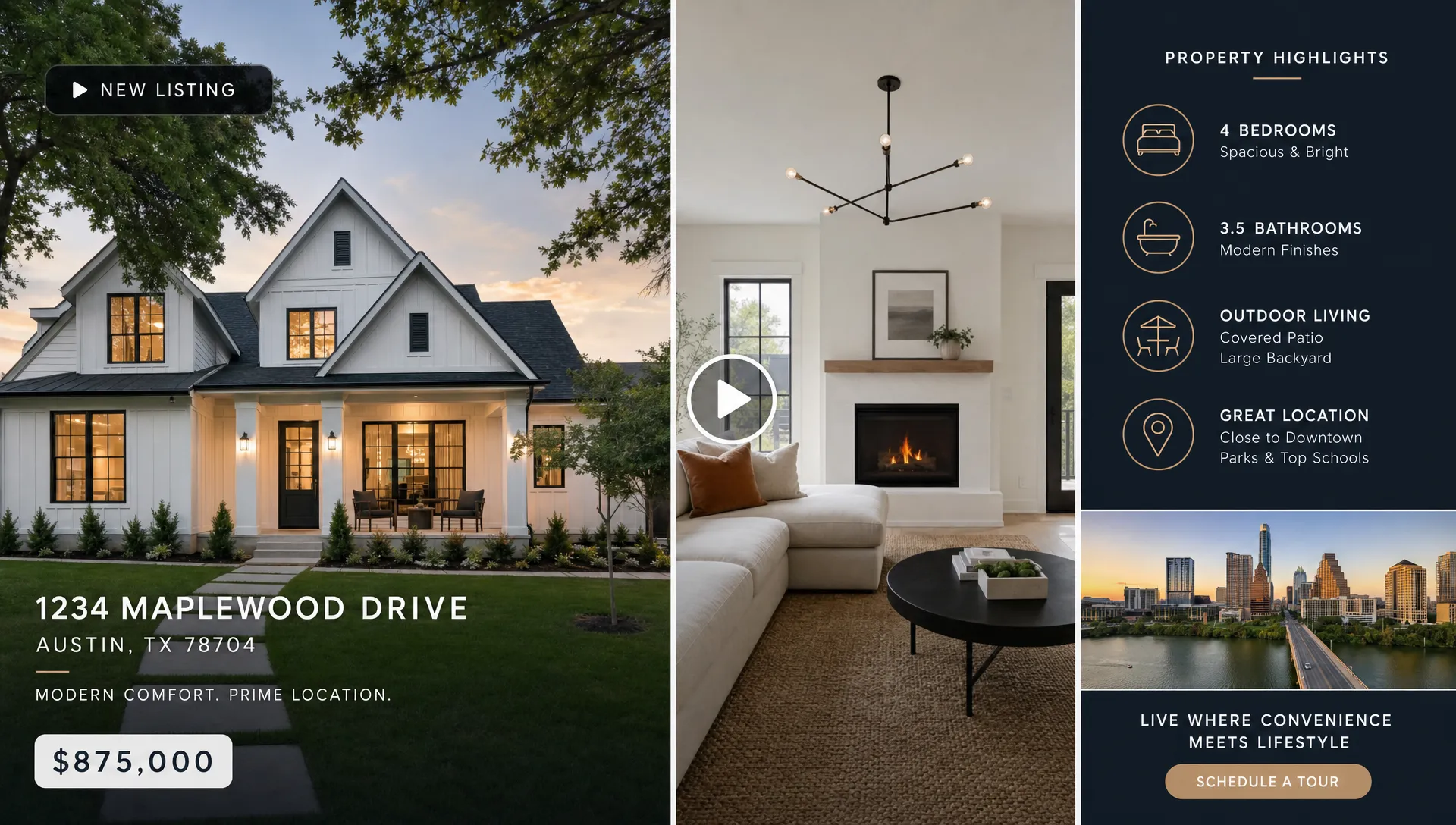
For Instagram Reels, TikTok, YouTube Shorts, and Facebook Reels, vertical 9:16 is usually the safest format. For YouTube, website embeds, and some listing presentations, horizontal 16:9 may still be useful. Square videos can work well in some feed placements, but vertical has become the default for short-form discovery.
Also consider how people watch. Many social users view videos with sound off, so captions or on-screen text are important. Keep text large, brief, and easy to read. Do not cover key property features with graphics, especially kitchens, views, floor transitions, or outdoor spaces.
A smart export plan might include one 30-second vertical reel, one 60-second listing overview, and one 15-second open house teaser. You can build all three from the same property assets if your workflow is efficient.
Step 6: Apply branding without making the video feel like an ad
Branding matters, but the property should remain the star. Use your logo, colors, fonts, contact details, and brokerage identity in a way that supports trust without overwhelming the home.
Strong real estate video branding usually includes a clean intro or outro, consistent lower-third contact information, a recognizable color palette, and a clear call to action. Avoid heavy watermarks, crowded templates, or long intros. On social media, you often have less than three seconds to earn attention, and a slow logo animation can cost you viewers.
Custom real estate branding is especially important for teams and agencies. When every listing video follows a consistent style, your marketing feels more professional and recognizable across channels.
Step 7: Review for accuracy before publishing
AI can dramatically speed up real estate video production, but compliance and accuracy still require human review. Before publishing, confirm that every claim is correct and that the visuals match the narration.
Check property facts, price, neighborhood references, bedroom and bathroom counts, school or transit mentions, fair housing language, brokerage requirements, and seller preferences. If you use virtual home staging, make sure the video does not mislead viewers about what is included or physically present in the property.
A fast quality check should answer five questions:
- Are all property details accurate?
- Does the video match the listing’s current status and price?
- Is the call to action clear?
- Are captions readable on a phone?
- Does the branding meet brokerage or agency standards?
This review does not need to take long, but it should never be skipped. A polished video with one incorrect detail can create confusion, client frustration, or compliance risk.
Step 8: Publish quickly and repurpose intelligently
Once the video is approved, publish it where buyers and sellers are most likely to see it. That may include Instagram, Facebook, TikTok, YouTube Shorts, LinkedIn, your website, listing portals, email newsletters, and direct messages to buyer leads.
Do not treat publishing as a one-time task. A listing video can support multiple marketing moments:
- Launch day announcement
- Weekend open house reminder
- Neighborhood feature post
- Price update
- Just sold recap
- Seller case study
This is where AI-powered video creation becomes more than a convenience. It allows agents to keep a listing visible throughout its lifecycle, not just on the day it goes live. For a deeper look at the underlying workflow, Diane’s article on how AI for real estate turns listings into scroll-stopping videos explains how listing content can become video-ready creative.
How long should real estate marketing videos be?
The best length depends on the platform and goal. Shorter videos are usually better for discovery, while longer videos work when the viewer already has some interest in the property.
For most agents, a 20 to 45-second video is the most useful everyday format. It is long enough to communicate value, but short enough for social feeds. Luxury properties, large homes, land, investment properties, or listings with unusual layouts may justify 60 to 90 seconds.
Here is a practical length guide:
| Platform or channel | Recommended length | Notes |
|---|---|---|
| Instagram Reels | 15 to 45 seconds | Strong hook and captions matter |
| TikTok | 15 to 45 seconds | Lead with lifestyle or curiosity |
| YouTube Shorts | 20 to 60 seconds | Works well for searchable property clips |
| Facebook feed | 30 to 60 seconds | Useful for local audience targeting |
| Listing page | 45 to 90 seconds | Viewers may want more detail |
| Email campaign | 15 to 30 seconds | Keep it focused and clickable |
If you are unsure, create a shorter version first. You can always make a longer cut for warm leads, but a concise video is more likely to be watched to completion.
Common mistakes that slow agents down
The biggest obstacle is often not the technology. It is the lack of a repeatable process. Agents lose time when every video starts from scratch, every script uses a different structure, and every export requires manual resizing.
Another common mistake is overproducing simple listings. Not every property needs drone footage, custom music editing, and a full cinematic walkthrough. Sometimes the best marketing asset is a clean, narrated, branded reel that gets published while buyer interest is fresh.
Agents also slow themselves down by waiting for perfect conditions. If the listing photos are strong, the property details are accurate, and the message is clear, you can produce an effective marketing video quickly. Save the larger production budget for listings that truly require it.
A simple 10-minute real estate video workflow
Here is what a streamlined process can look like when your assets are ready and your video platform supports AI-assisted creation.
| Minute | Task | Outcome |
|---|---|---|
| 0 to 1 | Import the listing | Photos and property details are ready |
| 1 to 3 | Select the best images | Video has a logical visual flow |
| 3 to 5 | Generate or edit the script | Narration matches the marketing goal |
| 5 to 7 | Choose voice, avatar, format, and branding | Video fits your channel and identity |
| 7 to 9 | Preview and correct details | Accuracy and readability are checked |
| 9 to 10 | Export or publish | Video is ready for distribution |
This timeline is not about rushing. It is about removing the repetitive tasks that used to make video production feel too time-consuming for everyday listings.
Where Diane fits into the workflow
Diane is built for agents and agencies that need professional real estate videos for marketing without a slow production cycle. The platform turns property listings, photos, and details into ready-to-publish marketing reels using AI narration, animated avatars, cinematic effects, social media formats, and custom real estate branding.
Because Diane is designed around real estate listings, it supports workflows such as listing import, AI avatar presentation, voice cloning narration, multilingual video support, virtual home staging, cinematic AI editing, and direct social publishing. That makes it especially useful for agents who want to create more video content from the listings they already have, rather than rebuilding every asset manually.
The best use case is not replacing your marketing strategy. It is accelerating it. You still decide the positioning, the audience, the CTA, and the final approval. AI handles much of the production lift so you can publish more consistently.
Frequently Asked Questions
What is the fastest way to create real estate videos for marketing? The fastest approach is to start from an existing listing, import the photos and property details, generate a short script, add AI narration or an avatar, apply branding, review for accuracy, and export in a social-ready format.
Do real estate videos need professional filming? Not always. Professional filming can be valuable for luxury properties or brand campaigns, but many listing videos can be created from high-quality photos, accurate listing details, narration, captions, and clean editing.
How long should a real estate listing video be? Most social media listing videos perform best between 20 and 45 seconds. Listing page videos or premium property videos can run 60 to 90 seconds if the extra detail adds value.
Can AI create real estate videos from listing photos? Yes. AI real estate video tools can turn listing photos and property details into narrated videos, often with captions, branding, avatars, cinematic motion, and platform-specific formats.
Should I use my own voice or an AI voice for property videos? Your own voice can strengthen trust and personal branding, while AI narration or voice cloning can save time when producing videos at scale. The best choice depends on your brand, volume, and audience.
What should every real estate marketing video include? Every video should include a strong opening, the most important property highlights, accurate location or lifestyle context, readable captions when needed, agent or brokerage branding, and a clear call to action.
Create your next listing video faster
Real estate videos for marketing work best when they are timely, clear, and easy to publish across channels. You do not need to rebuild every listing video from scratch or wait days for basic edits.
With Diane, agents and agencies can turn listings, photos, and property details into polished AI-powered real estate videos in minutes, complete with narration, avatars, branding, social formats, and publishing-ready edits. If your next listing deserves more attention, start by turning it into a video while the opportunity is still fresh.