
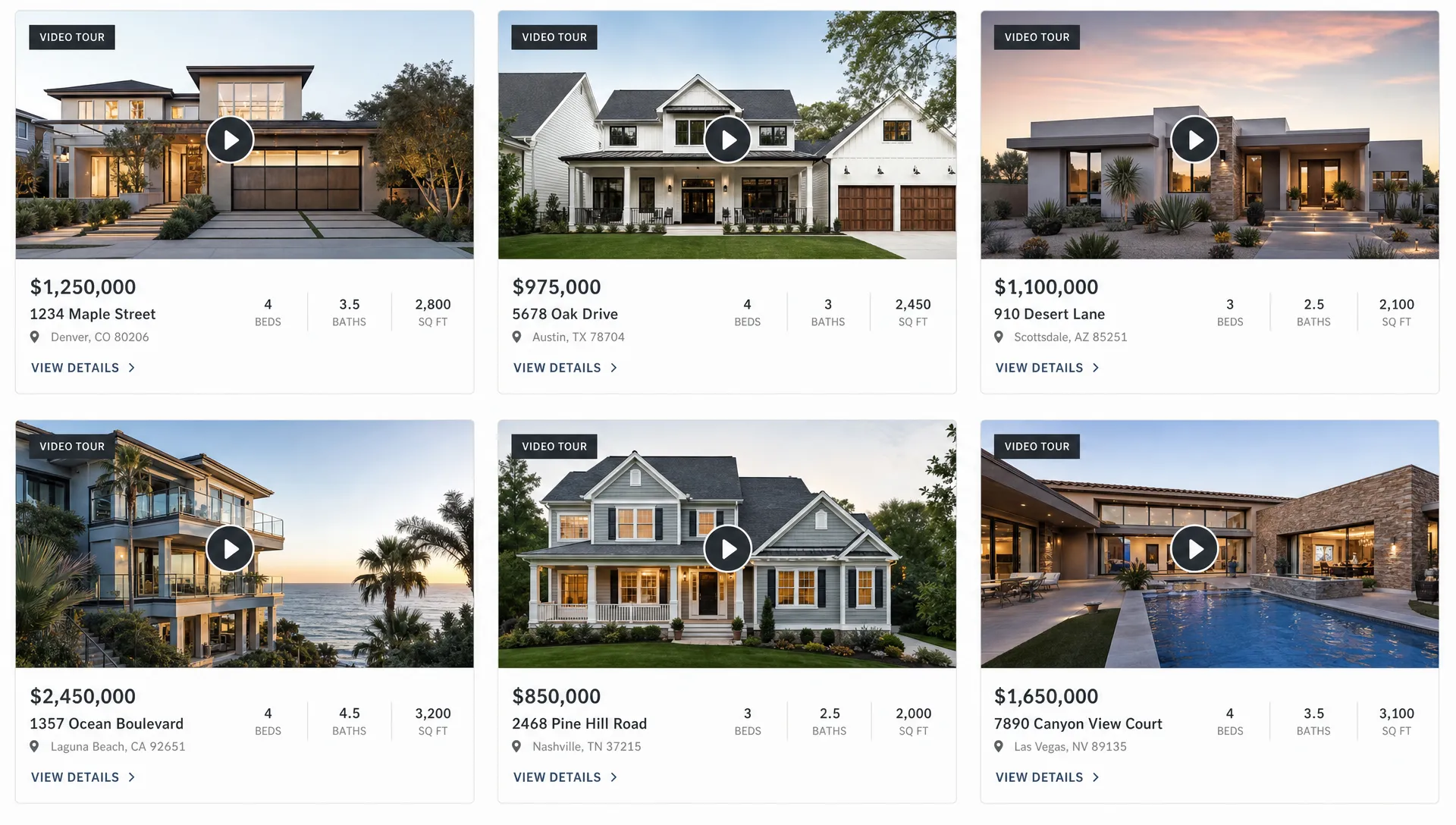
How to Add Listing Videos to Your Real Estate Website
A property page has one job: help a serious buyer understand the home quickly enough to take the next step. Photos still matter, floor plans still matter and listing copy still matters, but a short listing video can pull those pieces together in a way a static page rarely can.
Adding listing videos to your real estate website is not only about making the page look more polished. Done well, video can clarify the layout, highlight the strongest selling points, keep visitors on the page longer and create a smoother path from browsing to inquiry. The key is to add video intentionally, with the right placement, format and technical setup.
Below is a practical workflow for agents, listing specialists and independent agency owners who want property videos to work inside their own website, not just on portals or social feeds.
Why listing videos belong on your real estate website
Your real estate website is one of the few channels you fully control. On a portal, your listing competes with similar homes, promoted placements and competing agents. On social media, the viewer may enjoy the reel but keep scrolling. On your own site, every element can support the next action: request a showing, call the agent, download a brochure or explore similar listings.
A listing video adds value because it answers questions that photos often leave open. Buyers can see how rooms connect, how light moves through the space, what the exterior feels like and which features deserve attention. For relocation buyers or busy local buyers, that context can help them decide whether the home is worth an in-person visit.
This does not mean your website should replace portals. The strongest approach is usually to make each channel play its own role. Portals create discovery, social video creates attention and your website converts interest into a direct relationship. If you want to think through that channel mix, Diane’s guide on using video alongside real estate listing sites covers the broader strategy.
Start with a website-ready listing video
Before you touch your website builder, make sure the video is built for the page where it will live. A video that works on Instagram Reels may not be the best version for a property detail page, even if it features the same home.
For a real estate website, the best listing videos are usually concise, clear and buyer-focused. A 45 to 90 second video is often enough for a standard property page. Larger luxury homes, land, new developments or properties with complex amenities may justify a longer format, but length should follow usefulness rather than habit.
Your website-ready version should have:
- A strong opening shot or thumbnail that makes the property recognizable
- Narration or captions that explain the layout, not just repeat the listing description
- A clear order, such as exterior, main living area, kitchen, bedrooms, outdoor space and neighborhood context
- Accurate property details that match the live listing
- Branding that identifies the agent or agency without overpowering the home
- A final call to action, such as booking a showing or contacting the listing agent
If producing video is the bottleneck, AI can shorten the process by turning listing photos, property details and narration into usable videos. Diane’s walkthrough on how to create real estate videos for marketing in minutes explains how agents can move from listing materials to publishable video without a traditional shoot for every property.
Choose the right way to host your listing video
There are several ways to add a video to a property page. The right choice depends on your website platform, budget, branding needs and how much control you want over the viewer experience.
| Hosting option | Best for | Main tradeoff |
|---|---|---|
| YouTube embed | Easy publishing, discoverability and simple sharing | May show platform branding, suggested videos or external distractions |
| Vimeo or business video host | Cleaner presentation and more player controls | Often requires a paid plan for advanced branding or privacy controls |
| Native website upload | Full control over the file and player | Can hurt page speed if the site is not optimized for video delivery |
| Real estate video platform export | Fast production and consistent listing assets | You may still need to embed, upload or publish the file through your website CMS |
For most independent agents and small agencies, embedding from a reliable video host is the simplest route. It keeps your website lighter, reduces technical maintenance and lets you replace the video without rebuilding the whole page.
Native uploads can work, but only if your site has the infrastructure to handle video files efficiently. Large files can slow down mobile pages, especially on image-heavy listings. If you upload directly, use compressed files, a proper thumbnail and lazy loading so the video does not block the rest of the page.
Decide where the video belongs on the property page
The most common mistake is hiding the video too low on the page. If buyers have to scroll past the entire photo gallery, property description, amenities list and map before they find it, many will never watch it.
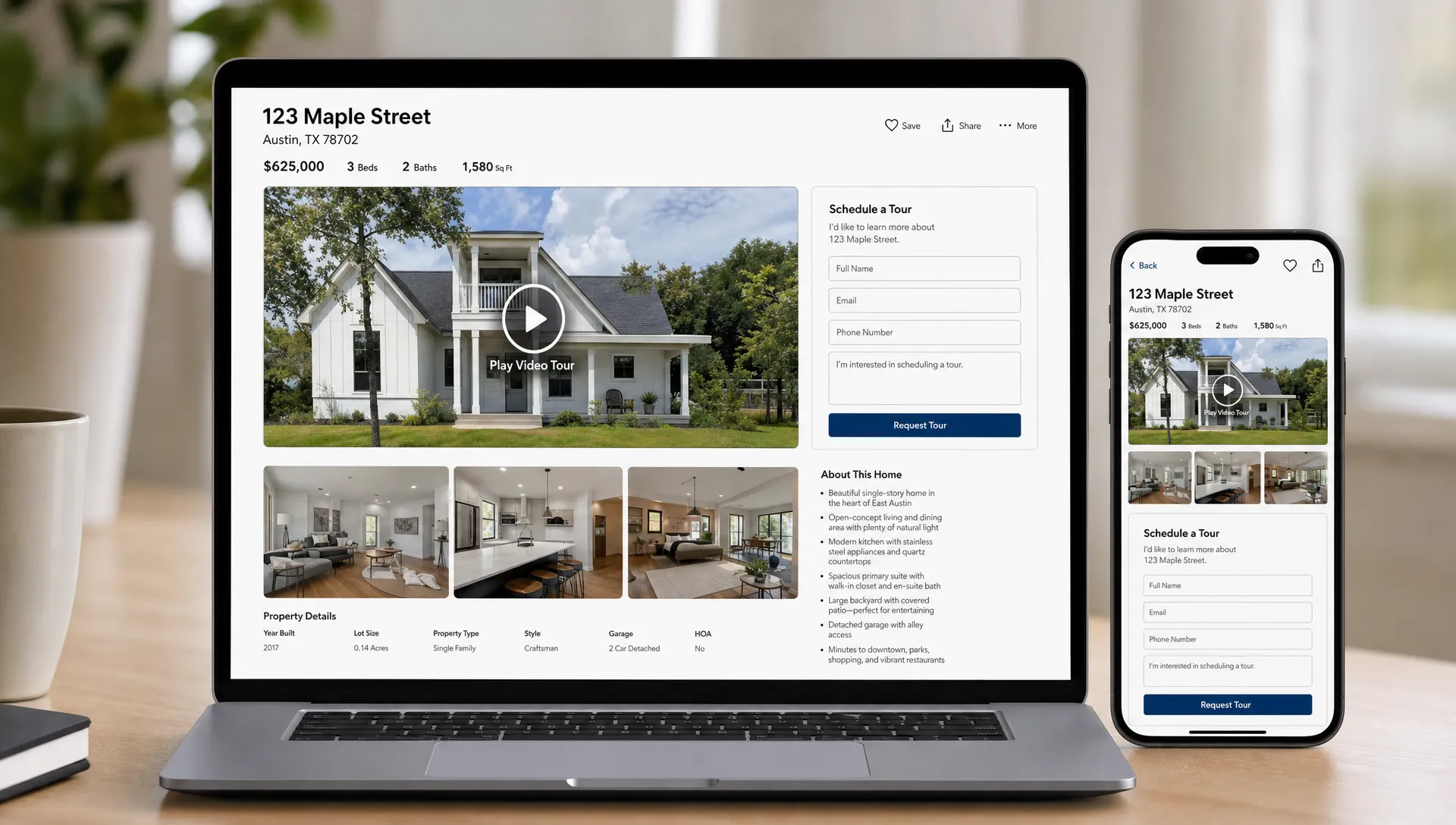
A listing video should appear where it supports the buyer’s decision-making. For most property pages, that means near the top, close to the main image gallery or key listing facts.
| Placement on the page | When it works best | Practical tip |
|---|---|---|
| Hero section above the fold | High-impact listings where video is the primary hook | Use a strong thumbnail and avoid autoplay with sound |
| Directly below the photo gallery | Most standard property pages | Let buyers browse photos first, then watch the walkthrough |
| Beside key property facts | Listings with standout features or unique layouts | Keep the player visible near price, beds, baths and location |
| Neighborhood or lifestyle section | Homes where location is a major selling point | Use clips or narration that explain parks, commute, views or amenities |
| Agent CTA section | Pages designed for lead generation | Pair the video with a showing request form or contact button |
If your website template is rigid, prioritize visibility over perfection. A clean video block below the main gallery is usually better than a more elegant placement that appears near the bottom of the page.
Add the video without weakening the page experience
Once you have the video URL or file, the exact process depends on your website platform. WordPress, Webflow, Squarespace, Wix and most real estate website builders have video blocks or embed modules. The principle is the same: add the player where it helps the buyer, test it on mobile and make sure it does not slow down the rest of the listing.
Use a visible video block
Create a dedicated section with a short heading such as “Video tour” or “Walk through the property.” This tells visitors what to expect and gives search engines surrounding context. Avoid vague labels like “Media” if the page already includes photos, maps and downloads.
Place one primary listing video on the page. If you have multiple videos, such as a full walkthrough, neighborhood reel and agent intro, do not stack them all at the top. Use the main walkthrough first, then place supporting clips lower on the page where they match the topic.
Make the player responsive
A listing page must work on mobile. Many buyers discover properties from a phone, then revisit on desktop later. Your video player should resize cleanly, avoid horizontal scrolling and keep controls easy to tap.
After embedding the video, test the page on at least one iPhone-sized viewport and one Android-sized viewport if possible. Check whether the player loads, the thumbnail is clear, captions are legible and the lead form is still easy to reach.
Connect the video to the next action
A listing video should not be an isolated media asset. It should lead naturally to a next step. Put a showing request button, phone link or short contact form close to the video, especially if the video appears near the top of the page.
The copy around the video can also help. A sentence like “Watch the walkthrough to see the open living area, renovated kitchen and private backyard before scheduling a tour” gives buyers a reason to press play and tells them what to do next.
Optimize listing videos for real estate website SEO
Video can support SEO, but only if search engines can understand where the video lives and what it represents. Google’s video best practices emphasize that videos should be prominent on the page, accessible to crawlers and supported by clear metadata.
Start with the basics. Each listing should have its own indexable property page with a unique title, address or neighborhood context, listing details, photos and the embedded video. Do not rely on a video alone. Search engines still need text, structure and crawlable content.
For the video itself, use a clear title and description. “123 Oak Street video tour” is more useful than “Final_v3_new.mp4.” The surrounding page copy should mention the property type, location and standout features naturally. If your CMS allows custom video fields or structured data, include the standard details that describe the asset.
Useful video SEO fields include:
- Name of the video
- Short description
- Thumbnail URL
- Upload date
- Embed URL or content URL
- Duration
- Transcript or caption file when available
A transcript can help both accessibility and search visibility. It does not need to be long or overproduced. A clean version of the narration, edited for accuracy, gives visitors another way to consume the content and helps search engines understand what the video covers.
Protect page speed and mobile performance
Real estate listing pages are already heavy. They often include high-resolution photos, maps, forms, mortgage widgets and tracking scripts. Adding video without considering performance can make the page feel sluggish, especially on mobile connections.
The safest approach is to load the thumbnail first and load the full video player only when the visitor interacts with it. Many website builders and hosting platforms support this through lazy loading or lightweight embeds. If yours does not, ask your web developer to implement a click-to-play thumbnail for video-heavy pages.
Keep these performance principles in mind:
- Use a compressed video file if uploading directly to your website
- Avoid autoplay with sound, which can frustrate visitors and create accessibility issues
- Choose a strong thumbnail rather than forcing the full player to load immediately
- Test the page with real mobile data, not only fast office Wi-Fi
- Remove duplicate embeds if the same video appears in multiple sections of the page
A fast-loading page is not just a technical preference. If a buyer taps a listing from social media and the page takes too long to load, the video may never get watched and the lead may never arrive.
Use video to capture better leads
A listing video can improve lead quality when it gives buyers enough context to self-qualify. Someone who watches a walkthrough, checks the property facts and then requests a showing is often more informed than someone who only clicked through the first photo.
To turn that interest into action, pair the video with a focused conversion path. A simple “Schedule a private tour” button near the video is usually clearer than a generic contact form buried at the bottom of the page. If your website supports it, let visitors choose a preferred day, request more details or message the listing agent directly.
You should also track how visitors interact with the video. At a minimum, review page views, form submissions and click-to-call activity for listing pages with video compared with pages without video. If your analytics setup supports event tracking, measure video starts, video completions and CTA clicks after video views. The goal is not to chase vanity metrics. It is to learn which video placements help real buyers take action.
Keep rights, compliance and brand control in mind
Real estate video marketing still needs the same care as any other advertising. Before publishing, confirm that the property details match the listing, claims are accurate and any staging, renovation or neighborhood information is not misleading. Follow your brokerage guidelines, MLS rules and local advertising requirements.
Pay special attention to AI-generated or edited content. If virtual staging is used, it should not misrepresent the condition or included furnishings of the property. If a video uses an avatar, cloned voice or agent likeness, everyone involved should have given proper permission. These details matter for trust, not only compliance.
Music is another common risk area. Use licensed tracks, royalty-free libraries with clear terms or platform-approved audio where appropriate. If your agency builds a recognizable library of branded video assets, it may also need a process for tracking reuse across social channels. Rights holders that want to monitor, enforce and license IP at scale can look at tools like Third Chair for intellectual property monitoring and licensing workflows, especially when creative assets begin circulating beyond the original listing campaign.
Build a repeatable workflow for every new listing
The easiest way to keep listing videos consistent is to make them part of your launch checklist. If video is an afterthought, it will be skipped whenever the week gets busy. If it is part of the same process as photos, copy and portal publishing, it becomes much easier to maintain.
A practical workflow can look like this:
- Collect listing photos, property facts and any special selling points
- Create the listing video and review it for accuracy
- Upload or embed the video through your chosen hosting method
- Add the video near the top of the property page
- Write a short intro sentence and add a showing CTA nearby
- Test the page on mobile and desktop
- Publish the page, then share it through email, social media and listing channels
- Review performance after the first week and adjust placement if needed
For agencies, consistency matters even more. A buyer should not see polished video on one listing and a bare page on the next unless there is a clear strategic reason. Standardizing your video section, thumbnail style and CTA placement helps your website feel more professional across the full inventory.
Frequently Asked Questions
Should listing videos autoplay on a real estate website? Autoplay without sound can work in some hero sections, but click-to-play is usually safer for property pages. It protects page speed, gives buyers control and avoids a frustrating mobile experience. If you use autoplay, make sure it is muted and does not block access to key listing details.
Where should I place a listing video on a property page? Put the main video near the top of the page, either in the hero area, directly below the photo gallery or close to the key property facts. The video should be visible before the visitor has to scroll through the entire listing.
Is YouTube good enough for real estate website videos? YouTube is easy and familiar, so it can be a good starting point. The tradeoff is less control over branding and potential distractions from suggested content. Agents who want a cleaner presentation may prefer a business video host or a platform with more player controls.
Do listing videos help real estate website SEO? They can help when the video is prominent, relevant and supported by good page content. Add clear titles, descriptions, thumbnails and transcripts when possible. Video alone will not make a weak listing page rank, but it can strengthen a useful page.
Can I use the same listing video on my website and social media? Yes, but it is often better to adapt the format. A website version can be slightly more complete and informative, while social versions may need faster openings, vertical framing and shorter edits. Keep the message consistent across both.
Turn listing pages into stronger video experiences
Adding listing videos to your real estate website does not need to become a complex production project. Focus on a clear walkthrough, smart placement, fast loading and a direct path to inquiry. Over time, your property pages become more useful for buyers and more valuable for your business.
If creating the videos is the slowest part of your workflow, Diane helps real estate agents and agencies turn listings, photos and property details into ready-to-publish AI real estate videos with narration, avatars, branding, multilingual support, virtual staging and social formats. Once the video is ready, you can add it to your website as part of a repeatable listing launch process.