
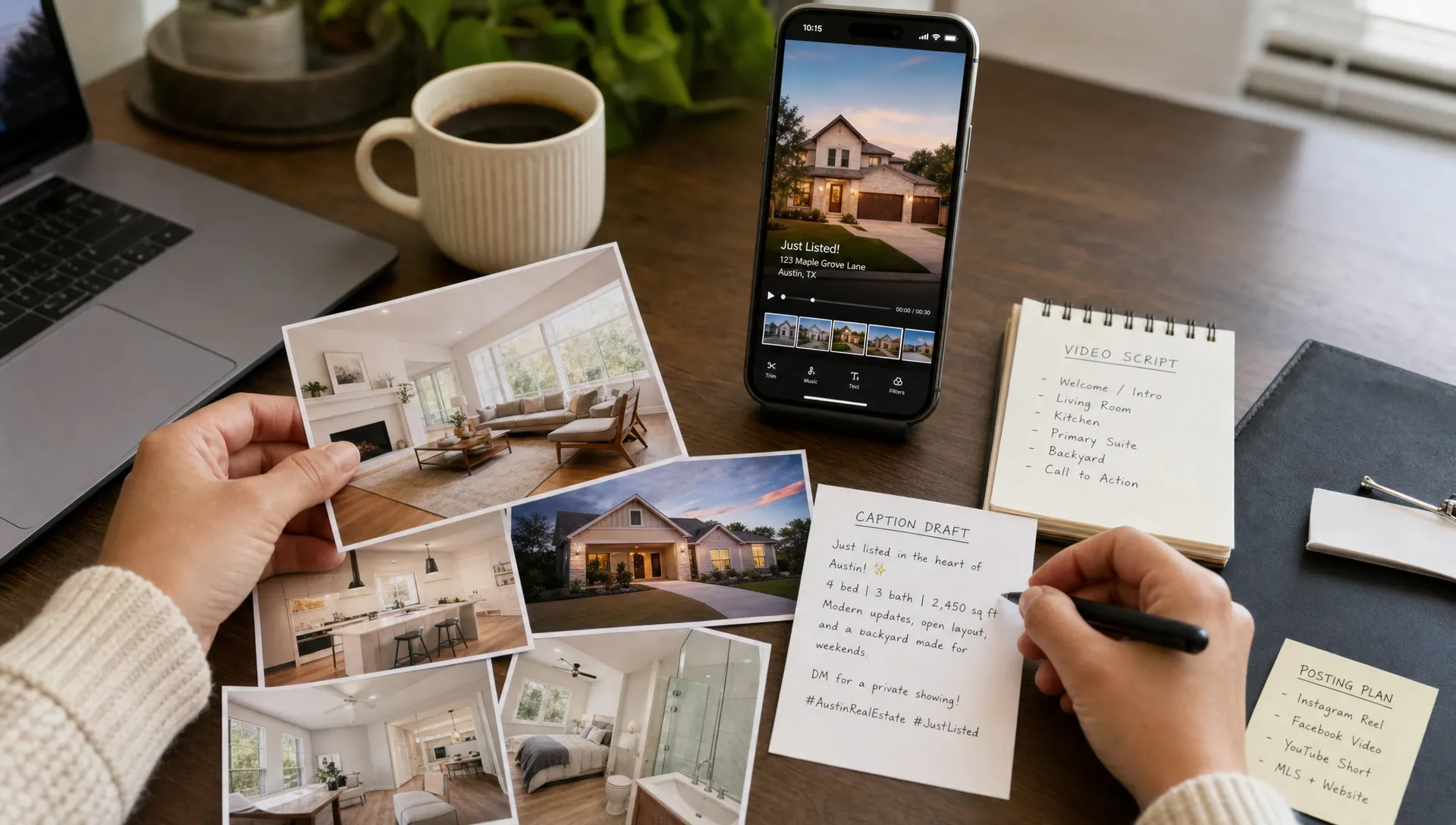
How to Promote My Zillow Listing With a Short Video
If the question in your head is, “How do I promote my zillow listing without spending half a day filming?”, a short video is usually the fastest, most reusable answer. Zillow can capture active buyer intent, but a 20 to 45 second video helps you reach people before they open a listing portal, then gives them a reason to click through, save the home or book a showing.
For independent agents and small teams, the goal is not to produce a glossy property film for every listing. The goal is to turn the assets you already have, photos, listing copy, room details and local context, into a clear buyer-facing story that works on social feeds, in email and alongside the listing page.
Why short video works alongside Zillow
A Zillow listing is built for search and comparison. Buyers use it to check price, photos, facts, map location, school information, saved homes and showing options. A short video does a different job: it creates momentum. It shows the flow of the home, frames the strongest feature quickly and makes the listing easier to remember after a buyer has scrolled past ten similar properties.
When the task is “promote my zillow listing this week,” success does not come from repeating every detail in the listing description. It comes from helping the right buyer understand one clear reason to take the next step. That might be the light in the main living area, a renovated kitchen, a flexible home office, a quiet backyard, walkability or a price point that stands out in the neighborhood.
Think of the video as the invitation and Zillow as the information hub. The video earns attention. The listing answers questions.
How to promote my zillow listing with a short video plan
Before you open a video editor, decide what the video is supposed to make a buyer remember. A common mistake is treating a short listing video like a compressed tour. In 30 seconds, trying to show every room usually makes the home feel less distinct, not more complete.
Pick one buyer promise
Start with the strongest buyer promise, not the first photo in the listing. A buyer promise is a simple answer to “why would this home fit someone’s life?” For example, “low-maintenance condo near commuter routes” is more useful than “two-bedroom condo with updated flooring.” It gives the viewer a reason to care.
For an agent asking, “what should I say in a video for my zillow listing?”, the safest answer is to speak like a helpful showing guide. Name the property type, the most relevant lifestyle benefit and the next step. Avoid overclaiming. If the home is virtually staged, disclose it wherever required and keep the video aligned with the actual condition of the property.
Turn listing facts into a short story
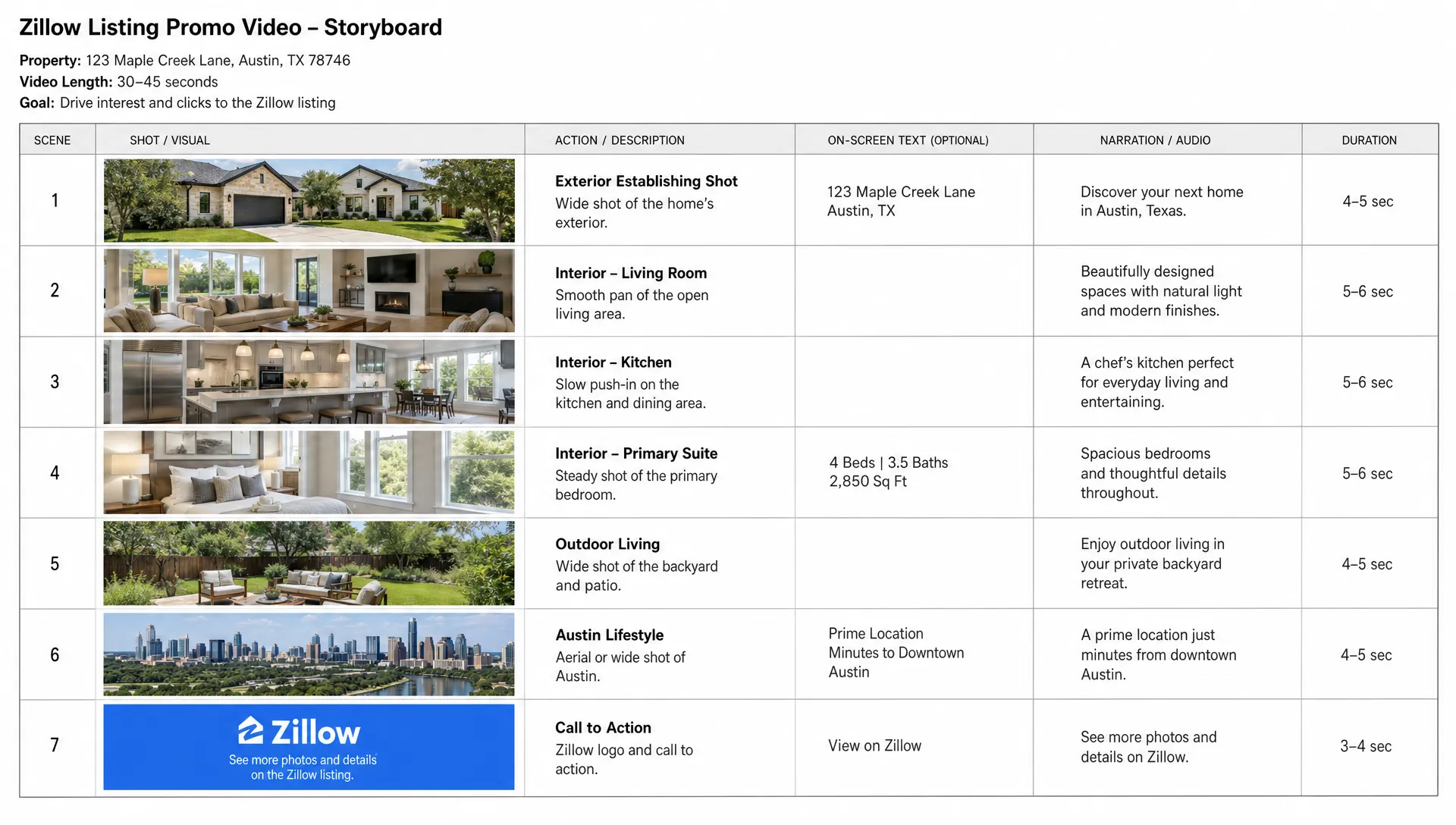
A good short video has a beginning, middle and end. The beginning earns attention, the middle proves the promise and the end tells the viewer what to do next. This structure keeps the video useful even when someone watches with sound off.
| Video moment | What to show | What to say |
|---|---|---|
| First 3 seconds | Best exterior, kitchen, view or living space | “New in [neighborhood], a [property type] built for [buyer need].” |
| Seconds 4 to 15 | Main living area, kitchen and layout flow | “The open main level connects the kitchen, dining and living space.” |
| Seconds 16 to 30 | Bedrooms, office, yard, parking or standout amenity | “You also get [specific feature] for everyday convenience.” |
| Final 3 to 5 seconds | Exterior, address area or branded end card | “Message me for details or find the full listing on Zillow.” |
This is also where you can repurpose the listing into multiple assets. If you want a deeper workflow for adapting Zillow pages into social formats, this guide on how to turn Zillow Realty listings into social video assets covers the broader content strategy.
Build the video from assets you already have
Most short listing videos can start from the same materials you used to publish the property page: professional photos, listing remarks, room count, neighborhood notes and your brokerage branding. You do not always need new footage if the still photos are strong and the edit creates movement with pans, zooms, sequencing and captions.
If the script still sounds like a caption for my zillow listing, make it more conversational. Listing copy often says, “This charming home features an updated kitchen and spacious backyard.” A better narration might say, “If you want an updated kitchen and a backyard that is actually usable, this one is worth a closer look.” The facts are similar, but the second version sounds like an agent guiding a buyer.
Keep the edit simple and buyer-centered
Use vertical format for Instagram Reels, TikTok, YouTube Shorts and Facebook Reels. Use horizontal or square only when the channel calls for it. Keep each shot on screen long enough to register, especially for rooms with multiple details. Fast cuts can make a home feel chaotic if the viewer cannot understand the layout.
Captions matter because many people watch without sound. Keep on-screen text short: neighborhood, price cue if appropriate, bed and bath count, standout feature and call to action. Do not paste the full listing description into the video.
Record narration that sounds like you
Narration should clarify what buyers are seeing, not read the MLS description word for word. If you are comfortable on camera, a quick agent intro can build familiarity. If not, voiceover can still feel personal when it uses plain language and avoids hype.
A strong short script usually includes:
- One opening hook about the property type or location
- Two or three concrete features that match buyer intent
- One line that explains layout, convenience or lifestyle fit
- One direct call to action for showings, questions or the full listing
Publish the video where buyers already spend time
Do not rely on a single placement. Zillow is important for high-intent buyers, but short video is strongest when it travels across the places where buyers, neighbors, past clients and relocation prospects already spend time. Post the video natively on each platform instead of only sharing a link, then point interested viewers back to the listing or to your preferred lead capture path.
If someone sees the video before they search, the call to action should make it effortless to find my zillow listing or contact you directly. Use a consistent property nickname, neighborhood reference or address format where allowed by your brokerage and platform rules. In your caption, lead with the buyer benefit before the specs.
Good distribution options include Instagram Reels, Facebook Reels, TikTok, YouTube Shorts, LinkedIn, email newsletters, open house reminders, neighborhood groups where permitted and your own real estate website. If you are running paid promotion, adapt the first three seconds for colder audiences because they have no reason to watch unless the hook is immediately relevant.
For a broader paid and organic promotion framework, this article on how to advertise real estate with short-form listing videos is a useful companion.
Make the video feel local, not generic
Many listing videos fail because they could belong to any home in any market. Buyers care about bedrooms and finishes, but they also care about daily life. If the home is near a commuter route, park, waterfront, shopping district, university, hospital or major employer, mention that context briefly. Keep it factual and avoid promises about lifestyle outcomes you cannot verify.
The same rule applies when you promote my zillow listing with local context: make the next step obvious. Trust signals are not unique to real estate. Local service businesses do this constantly. A clinic page such as this family dentist in Ettalong and Kincumber leads with location, service scope, team context and booking options. A listing video needs the property version of that clarity: where it is, who it may fit, what stands out and how to ask for a showing.
For agents, local details also create more useful social captions. “Three blocks from the train” is easier to remember than “great location.” “A single-level layout with a fenced backyard” is more concrete than “must-see home.” Specificity makes the video feel credible.
Use AI to move faster without making the video feel automated
Speed matters when a listing goes live. If you wait several days to create video, you lose the moment when the property is freshest in search alerts, social feeds and your client’s own network. AI can shorten the production cycle, especially when you already have listing photos and property details.
For teams repeating “refresh my zillow listing video” across multiple properties, an AI workflow can help standardize quality while still allowing each home to have its own hook. Diane, for example, is built for real estate agents and agencies that want to turn listings into ready-to-publish marketing reels with AI narration, avatars, voice cloning, multilingual support, cinematic editing, social media formats and custom branding.
The key is to review the output like an agent, not like a content creator checking a box. Confirm that room labels are accurate, the voiceover matches the property, the order of images makes sense and any virtual staging is handled transparently. If you use an on-screen presenter, this guide on real estate avatars explains how avatars can make listing videos feel more personal without requiring you to film every introduction yourself.
A practical promotion checklist before you publish
Before posting, do a quick compliance and quality pass. Short video is fast, but it still represents your listing, your client and your brokerage.
- Confirm that all property facts match the live listing and MLS data.
- Check your brokerage, MLS and Zillow rules for video, branding, claims and links.
- Use licensed photos, approved listing media or assets you have permission to edit.
- Add captions for viewers watching without sound.
- Keep the call to action specific, such as “message me for a private showing” or “ask for the full details.”
- Create at least two caption variations so you can repost without sounding repetitive.
- Save versions for vertical social feeds, email and your website.
A clean review process protects you from avoidable mistakes. It also improves performance because buyers get a clearer, more confident message.
How to measure whether the video is working
Views alone are not enough. A listing video can get thousands of passive views and still produce little buyer activity. Track the actions that connect to the listing goal: profile visits, direct messages, saves, shares, link clicks, showing requests, open house attendance and questions about the property.
If you created the video to promote my zillow listing, compare activity before and after distribution. Did listing saves increase? Did buyer questions become more specific? Did past clients forward the video to someone? Did local agents mention seeing it? These signals help you decide whether to reuse the same structure for the next listing.
You can also create variations. Test one version that opens with the kitchen, one that opens with the neighborhood and one that opens with the price-positioning angle if your market allows it. Keep the rest of the video similar so you can learn which hook actually changed behavior.
Frequently Asked Questions
Can I upload a short video directly to Zillow? Availability and rules can vary by account type, listing source and Zillow’s current tools, so check your Zillow dashboard, MLS feed settings and brokerage policy. Even when direct upload is limited, you can still use short video on social, email and your website to drive more attention to the listing.
How long should a video for a Zillow listing be? For social promotion, 20 to 45 seconds is usually enough. Go shorter for a single-feature teaser and closer to 45 seconds when you need to show layout, yard, parking or neighborhood context.
What should I show first in the video? Start with the feature most likely to stop the right buyer. That could be the exterior, view, kitchen, living area, backyard, home office or neighborhood access. Do not automatically start with the front door if another image tells a stronger story.
Can I use AI narration to promote my zillow listing? Yes, if the narration is accurate, compliant and reviewed before publishing. AI narration can save time, but the agent should still verify facts, tone, pronunciation, branding and any claims made in the script.
Should I make a new video for every listing? Ideally, yes. You can reuse a structure, but each property should have its own hook, visuals and call to action. A template saves time, but buyers can tell when a video feels generic.
Turn your listing into a short video faster
A short video helps your Zillow listing travel farther, especially when it gives buyers one memorable reason to care and a clear next step. If you already have photos and listing details, you have most of what you need.
With Diane, real estate agents and agencies can turn property listings into polished AI-powered videos with narration, avatars, branding and social-ready formats in minutes. Use it to move from listing page to publishable reel while the property is still fresh in buyers’ minds.