
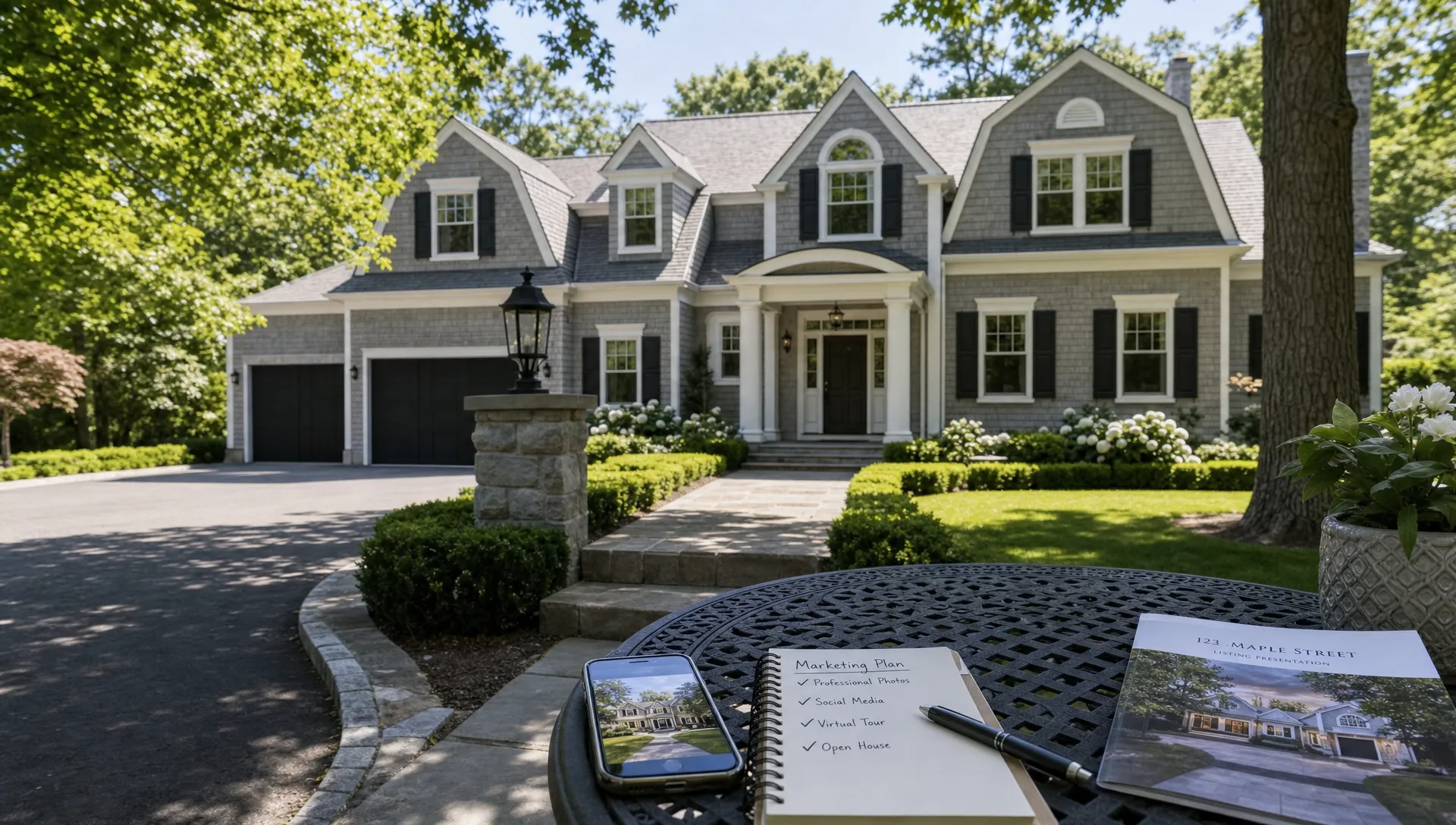
How to Turn Zillow Realty Listings Into Social Video Assets
If you already publish zillow realty listings, you are sitting on more than a searchable property page. You have the raw material for short social videos: photos, location details, price positioning, lifestyle cues, room-by-room highlights and a clear next step for buyers. The opportunity is to turn that static listing information into repeatable video assets that work on Instagram Reels, TikTok, YouTube Shorts, Facebook, listing emails and your own real estate website.
For agents and agency owners, this is not about making a cinematic film for every home. It is about building a practical workflow that converts each live listing into short, polished content before buyer attention moves on. A good social video helps people understand the home faster, remember the agent behind it and take action while the listing is still fresh.
Why zillow realty listings should become video assets
Most buyers do not browse property the same way across every channel. On Zillow, they are often comparing price, photos, location and basic features. On social media, they are scrolling quickly, reacting to a hook before they decide whether the home deserves a closer look. That means zillow realty listings need a second life beyond the portal page, built for motion, captions and a faster emotional read.
The listing page is still the source of truth. It carries the property facts buyers expect and gives your marketing credibility. Social video does a different job: it compresses the best reasons to care into 15 to 45 seconds. Instead of asking a buyer to study a gallery, you guide them through the strongest photos, the most relevant details and the lifestyle promise behind the address.
This is especially useful for independent agents who cannot spend hours producing custom video from scratch. Once you define a repeatable format, every new listing can become several assets: a launch reel, a price-positioning clip, a neighborhood teaser, an open house reminder and a follow-up video for leads who asked about the home.
Start with what you are allowed to use
Before turning zillow realty listings into social content, make sure you are using materials you have the right to repurpose. In most cases, that means your own listing copy, photos you commissioned or licensed, seller-approved property details and any media your brokerage is permitted to market. Do not assume every image displayed online can be downloaded, edited and reposted.
A safe workflow starts with your original listing package. Keep a clean folder for each property with approved photos, address details, disclaimers, square footage, showing instructions and brand assets. If the listing was syndicated to Zillow from your MLS or brokerage feed, work from the original assets whenever possible rather than pulling files back from the portal.
You should also keep fair housing considerations in mind. Describe property features, location conveniences and factual amenities. Avoid language that implies a preferred buyer type. Social video moves fast, but the same advertising standards apply.
| Asset to collect | Why it matters for video | Practical tip |
|---|---|---|
| Hero exterior photo | Creates the opening visual and instant recognition | Use the brightest, cleanest front or lifestyle angle |
| Best interior photos | Shows flow, finishes and room quality | Select 5 to 8 images instead of the whole gallery |
| Listing facts | Keeps the video accurate | Confirm bed count, bath count, price and square footage |
| Neighborhood cues | Adds context beyond the walls | Mention nearby parks, transit, schools or retail only when factual |
| Call to action | Tells viewers what to do next | Use one CTA per video, such as booking a showing |
Choose the social video angle before you write the script
One mistake agents make is trying to include every detail in a short video. A better approach is to choose one angle per asset. The same zillow realty listings can support different videos depending on who you want to reach and what stage of interest they are in.
For a new listing, lead with the strongest buyer benefit: a renovated kitchen, a rare backyard, a walkable location or a price point that stands out in the market. For a second video, shift to layout and livability. For an open house post, make timing and access the main story. For a retargeting or follow-up clip, answer the question serious buyers are likely asking, such as storage, commute, outdoor space or monthly costs.
If you want a broader framework for pairing listing pages with social distribution, Diane's guide on using video alongside real estate listing sites explains how the portal page and the video can support different steps in the buyer journey.
Here are a few reliable angles that work well for listing-based social content:
- The first-look tour: Best for a newly launched property that needs quick awareness.
- The feature spotlight: Best when one space carries the listing, such as a kitchen, pool, terrace or primary suite.
- The lifestyle edit: Best when the location, natural light or daily routine is the selling point.
- The open house reminder: Best for urgency and local reach in the days before a showing window.
- The price and value clip: Best when the home compares favorably with similar properties nearby.
Turn the listing into a 30 second video structure
A 30 second format is often enough to turn zillow realty listings into an asset that feels complete without overwhelming the viewer. The key is to move from attention to evidence to action. Start with a clear hook, support it with a tight sequence of visuals and end with the next step.
A simple structure works for most homes. Use the first 3 seconds to name the reason to watch. Use the next 20 seconds to show the strongest proof. Use the final 5 to 7 seconds to tell viewers what to do, such as message you for details, save the post or schedule a private tour.
| Video segment | Approximate timing | What to include | Example line |
|---|---|---|---|
| Hook | 0 to 3 seconds | Biggest buyer benefit | "A bright corner home minutes from downtown." |
| Context | 3 to 8 seconds | Beds, baths, area or location | "Three bedrooms, two baths and an open main living space." |
| Proof | 8 to 24 seconds | Best photos and standout features | "The kitchen opens directly to the dining area and backyard." |
| CTA | 24 to 30 seconds | One clear next step | "Message me for the full tour or showing times." |
This structure also keeps your content flexible. You can cut it shorter for Stories, expand it for YouTube Shorts or adapt the same copy into a caption for the post.
Write narration that sounds like an agent, not a brochure
The best listing videos feel guided. They do not simply read the property description out loud. When you turn zillow realty listings into narrated social assets, rewrite the copy for how people listen while scrolling. Short sentences, concrete details and clear transitions usually outperform formal listing language.
For example, instead of saying, "This magnificent residence boasts an abundance of natural light," say, "Morning light fills the living room and continues into the kitchen." Instead of "conveniently located near amenities," say, "You are close to the park, grocery stores and the train station." Specific language builds trust because buyers can picture what you mean.
This is the same communication problem many high-consideration industries face outside real estate. A company that sells ASIC mining hardware and hosting services has to make technical options clear to buyers quickly. A real estate video has a similar job: translate dense information into a confident, easy-to-follow decision path.
If you use AI narration, review the script before publishing. Make sure the voice does not exaggerate, misstate the property or create compliance issues. Diane can help agents create narrated listing videos from property details, but the agent should still own the final message and accuracy.
Repurpose one listing into several channel-specific assets
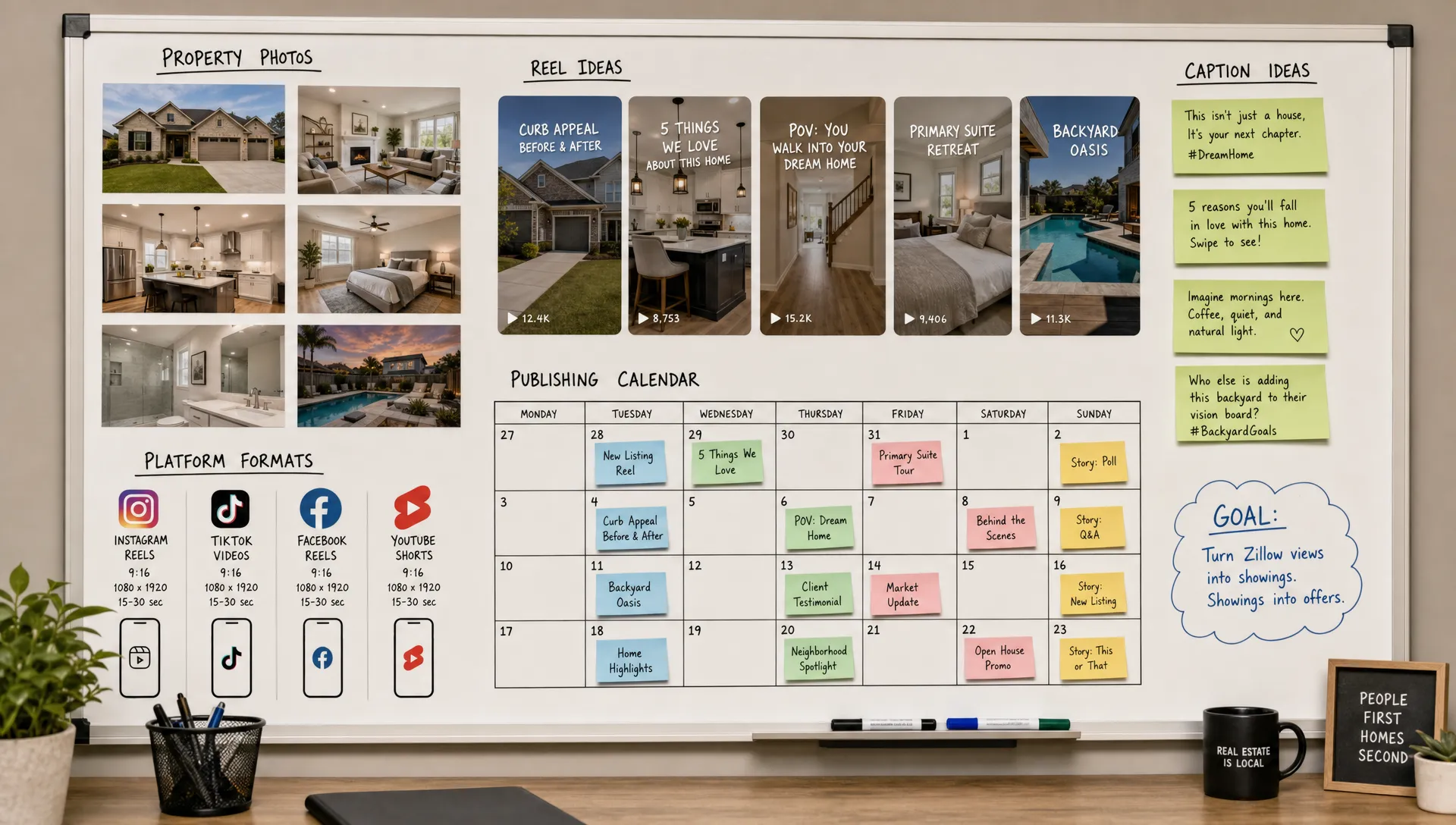
The real efficiency comes from creating multiple versions from the same listing package. Instead of posting one generic video everywhere, adapt zillow realty listings into social assets based on how each platform is used.
Instagram Reels and TikTok need a visual hook quickly. YouTube Shorts can support slightly more context if the title and opening line are strong. Facebook often works well for local sharing, open houses and community context. LinkedIn can be useful for agent branding, especially when the post explains the marketing strategy behind a listing or highlights a successful launch.
Diane's article on Instagram real estate reels that turn listing photos into leads goes deeper on adapting property photos for that specific channel. The important point is that format changes should not require a full rebuild. Keep the visual sequence, then adjust the opening line, caption and CTA.
| Channel | Best video style | CTA that fits |
|---|---|---|
| Instagram Reels | Fast visual tour with captions | "DM for the address and showing details" |
| TikTok | Hook-led lifestyle or feature clip | "Save this if you are searching in this area" |
| YouTube Shorts | Mini tour with clearer context | "Watch the full listing video on my channel" |
| Local open house or neighborhood post | "Share with someone looking nearby" | |
| Personalized property preview | "Reply to schedule a private showing" |
Use AI to reduce production time, not judgment
AI can make the workflow practical for busy agents because it handles the repetitive production steps: creating a script from listing details, adding narration, formatting for vertical video, animating photos and preparing a polished edit. That is why tools like Diane are useful for agents who need ready-to-publish assets without hiring a video team for every listing.
The goal is not to remove the agent from the marketing. It is to let the agent spend more time on judgment: choosing the right angle, confirming accuracy, adjusting the CTA and deciding where the asset should be published. If you want a closer look at this workflow, Diane's guide on how AI for real estate turns listings into scroll-stopping videos explains how listing data can become social-ready content.
A strong AI-assisted process usually follows this order: import or paste the listing details, choose the video angle, select the best photos, generate the narration, review the edit, customize branding and export versions for the channels you actually use. If you support multilingual buyers, create a translated version only after the original video is accurate and approved.
Add branding without making the video feel like an ad
Your name and brokerage matter, but buyers clicked because of the property. Keep branding visible and restrained. A logo bug, consistent colors, a branded end card and a clear agent CTA are usually enough. When zillow realty listings become social videos, the best branding is often your voice, face or recognizable presentation style rather than a large logo covering the home.
AI avatars and voice cloning can be useful when you want a consistent presenter but do not have time to record yourself for every listing. Used well, they make the asset feel more personal than a slideshow. Used poorly, they can distract from the property. Keep the avatar introduction short and let the listing visuals carry most of the video.
For agency owners, brand consistency is more than a design preference. It helps every negotiator or listing specialist publish content that feels like it comes from the same business. Create templates for luxury listings, starter homes, rentals, open houses and price updates so your team is not making creative decisions from scratch every time.
Measure the assets that actually move buyer interest
Views are useful, but they are not the only signal. A listing video can generate fewer views than a broad lifestyle post and still produce better leads. Track performance based on the action the video was supposed to create.
For zillow realty listings repurposed into social video, useful metrics include saves, shares, profile visits, direct messages, showing requests, link clicks and email replies. Watch completion rate too, because a sharp drop in the first few seconds usually means your opening visual or hook is not strong enough.
After a few listings, patterns become clear. You may find that kitchen-first hooks outperform exterior-first hooks in your market. Open house reminders may work better on Facebook than TikTok. Neighborhood clips may attract early-stage buyers, while narrated mini tours may generate more qualified showing requests. Use those patterns to refine your templates.
A simple workflow you can repeat for every listing
The easiest system is the one your team will actually use. Build a checklist that begins when the listing package is approved, not after the property has already been online for several days. Speed matters because social video performs best when it supports the listing launch, not when it arrives as an afterthought.
A practical weekly workflow can be simple: collect the approved assets, choose 2 to 3 video angles, generate the first cut, review for accuracy, export platform versions and schedule posts around launch day, open house dates and follow-up moments. This gives every listing a campaign instead of a single post.
If you are an independent agent, start with one core video and one short cutdown. If you manage an agency, standardize the workflow so each agent can produce consistent assets without waiting on a central marketing team.
Frequently Asked Questions
Can I use photos from Zillow in my social videos? Use the original photos and media you own, commissioned or are licensed to use. If your listing appears on Zillow through an MLS or brokerage feed, work from your approved source files rather than downloading images from the portal.
How long should a social video from a listing be? For most property marketing, 15 to 45 seconds is enough. Use shorter clips for hooks, reminders and Stories. Use the longer end of that range when the home needs more context or has several standout features.
Do I need to appear on camera? No, but a personal presence can help. You can use your voice, a short agent intro, an AI avatar or a clean narrated edit. The best choice is the one you can publish consistently while keeping the property accurate and appealing.
How many videos should I create from one listing? Start with 2 to 4 assets: a launch tour, a feature spotlight, an open house reminder and a follow-up or neighborhood clip. Larger agencies can create more variations once templates are in place.
What is the biggest mistake agents make with listing videos? The biggest mistake is turning the full listing description into a slow slideshow. Choose one angle, lead with the strongest buyer benefit and use the video to guide attention rather than repeat every field from the listing page.
Turn your next listing into publish-ready video
Your listing already has the ingredients: photos, facts, buyer benefits and a reason to act. Diane helps turn those pieces into polished real estate videos with AI narration, avatar presentation, branding, multilingual support and social-ready formats.
If you want to convert listing pages into professional video assets faster, start with your next property and build a repeatable workflow around it. One strong template can turn every new listing into a launch campaign, not just another static page online.