
Organize a Real Estate Listing Database for Faster Launches
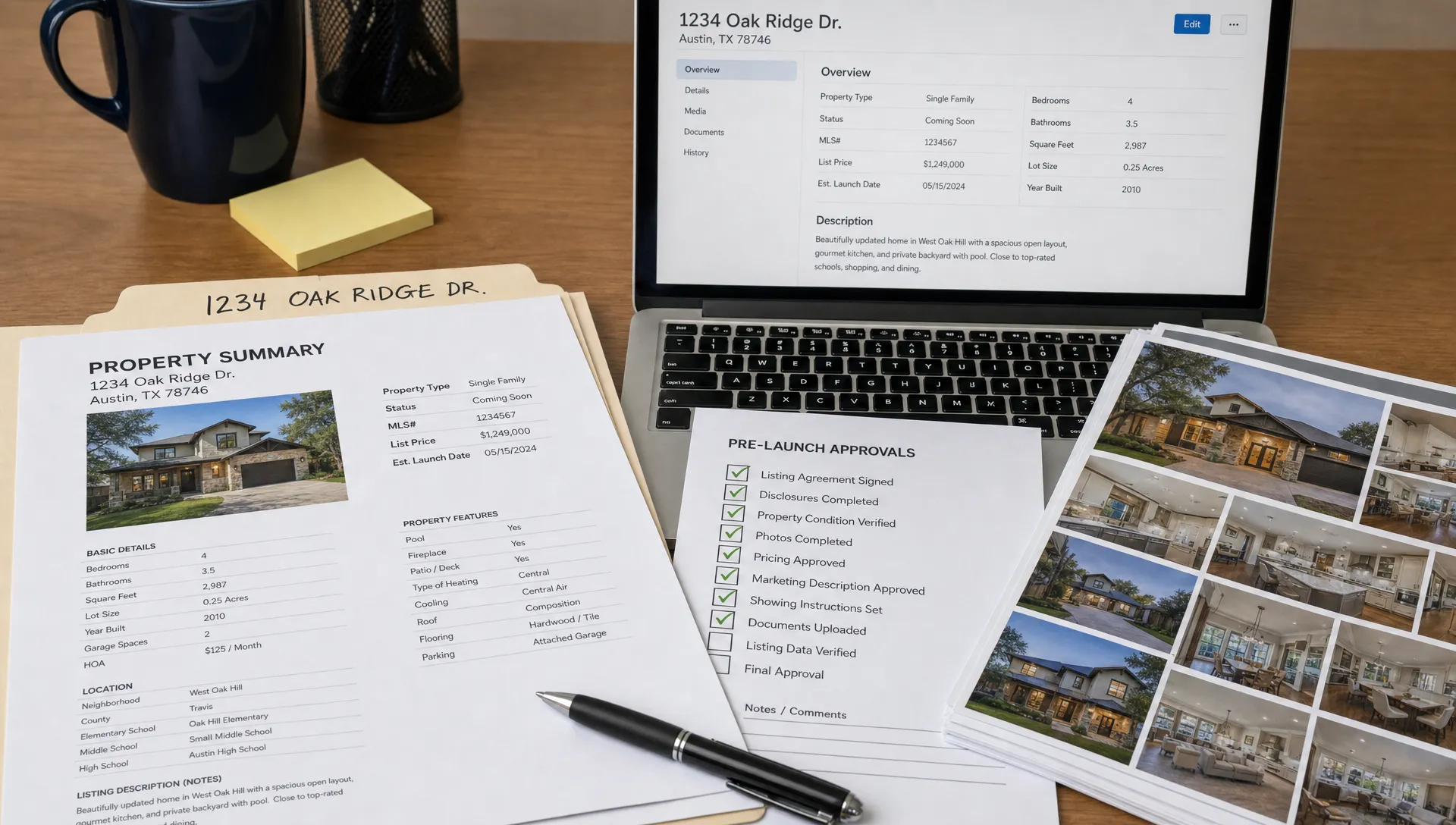
A real estate listing database is not just a place to store addresses and asking prices. For agents, listing specialists and small agency owners, it is the operational system that decides whether a property launch takes one focused afternoon or drifts across several days of follow-ups. When every fact, image, approval note and marketing asset lives in a predictable structure, you can move from signed authority to live campaign with fewer interruptions. The goal is not to build a complicated tech project. It is to create a practical source of truth that makes each launch easier than the last.
Build your real estate listing database around launch decisions
Start with the decisions you make during every launch. You need to know what is approved, what is missing, what can be published today and what still needs clarification from the seller, landlord or property manager. If your database only mirrors a public property page, it will not remove much admin from your day.
A useful structure should support the whole pre-launch workflow. That includes private notes, vendor preferences, photo selection, compliance checks, pricing changes, portal status, social captions and video assets. Public listing copy is only one layer.
The real estate listing database is the place where your team can answer basic launch questions without searching emails, text messages, shared drives and portal drafts. That matters most when you have several listings at similar stages or when a negotiator, assistant or agency owner needs to step in quickly.
Separate the database from your file storage
Many agents start by creating property folders in Google Drive, Dropbox or a brokerage server. That is useful for storing files, but it is not the same as a database. A folder can hold photos and floor plans, but it cannot easily show which listings are ready for video, which are waiting on seller approval or which need new disclosure notes.
Think of your setup in two layers. The database tracks the status and key fields. File storage holds the heavy assets. Each listing record should include links to the correct folders so anyone can jump from the record to the source files without guessing.
| Database area | What it should track | Why it speeds up launch |
|---|---|---|
| Property facts | Address, property type, beds, baths, parking, land size, price guide | Prevents copy errors and repeated fact checking |
| Launch status | Intake, photography, copy, approval, live, archived | Shows what is blocking publication |
| Marketing assets | Photo folder, floor plan, video file, captions, portal copy | Keeps content organized by channel |
| Contacts and approvals | Seller, landlord, property manager, photographer, approver | Makes handoffs easier |
| Notes and restrictions | Showing instructions, disclosure notes, image permissions, branding preferences | Reduces risk and rework |
If your real estate listing database only stores polished final copy, you will still lose time during the messy middle of the campaign. Include the working information that helps you get to final approval faster.
Use a simple status model for every property
A clear status field is one of the highest-value parts of the system. Without it, every listing becomes a mini investigation. You may know a property is almost ready, but almost ready is not a useful status when you are prioritizing work.
Use stages that match your launch process. The wording can be simple as long as everyone uses it the same way.
| Status | Meaning | Typical next action |
|---|---|---|
| Intake | Listing is won or likely, but details are incomplete | Collect facts, contacts and dates |
| Asset collection | Photos, floor plans or documents are being gathered | Confirm file naming and missing assets |
| Content draft | Copy, captions and video are being prepared | Create marketing materials |
| Approval | Seller, landlord or manager needs to review | Send preview and record feedback |
| Scheduled | Listing is ready and launch time is set | Queue portal, social and email content |
| Live | Campaign is published | Monitor enquiries and update assets |
| Archived | Listing is sold, leased, withdrawn or paused | Store results and reusable notes |
Treat the real estate listing database as a launch board, not a passive archive. When each property has a visible stage, you can open your database each morning and know exactly where to spend attention first.
Define the minimum fields before you add extras
It is tempting to track everything, especially when you are building the system from scratch. That usually creates clutter. Start with the minimum fields that help you launch a listing accurately, then add fields only when they remove a recurring friction point.
Your minimum field set should cover identity, facts, contacts, launch timing, media and approvals. For example, every record should include the internal listing name, full address, listing type, lead agent, campaign owner, target launch date, current status, asset folder link and approval status.
After that, add fields that reflect your market and workflow. A rental-focused agency may need inspection times, application links and availability dates. A sales team may care more about auction date, vendor-paid marketing package, price guide changes and open home schedule.
For rental-heavy teams, the tenant side of the journey also matters. Applicants often move quickly, prepare documents in advance and try to apply on the same day as inspection. Guides such as Homeward Australia’s advice on securing rentals in Melbourne fast show how speed affects renter behavior, which is a useful reminder to keep inspection details, application instructions and availability dates accurate from the first launch.
Make photos and video assets searchable
Photos are often the slowest part of launch admin because they arrive in large batches, under vague file names and in several resolutions. Your database does not need to store the image files themselves, but it should make the media workflow easy to audit.
Create a consistent naming convention before your next listing comes in. A simple format like suburb-streetnumber-room-sequence can make a gallery much easier to sort. For example, a kitchen hero image might be labeled richmond-24-kitchen-01 instead of IMG_4821. The exact format matters less than consistency.
Your real estate listing database should make media status visible at a glance. Add fields for photography date, hero image selected, floor plan received, video created, social clips exported and portal gallery approved. If you work with external photographers or editors, add a delivery due date and a notes field for reshoots or image restrictions.
This structure also helps when you use AI tools for faster content production. Once your listing facts and assets are organized, it is much easier to turn them into short promotional clips, narrated walkthroughs or social reels. If video is a major bottleneck, a workflow for creating real estate videos in minutes can plug directly into the database stage where assets are approved.
Store channel-ready content, not just one description
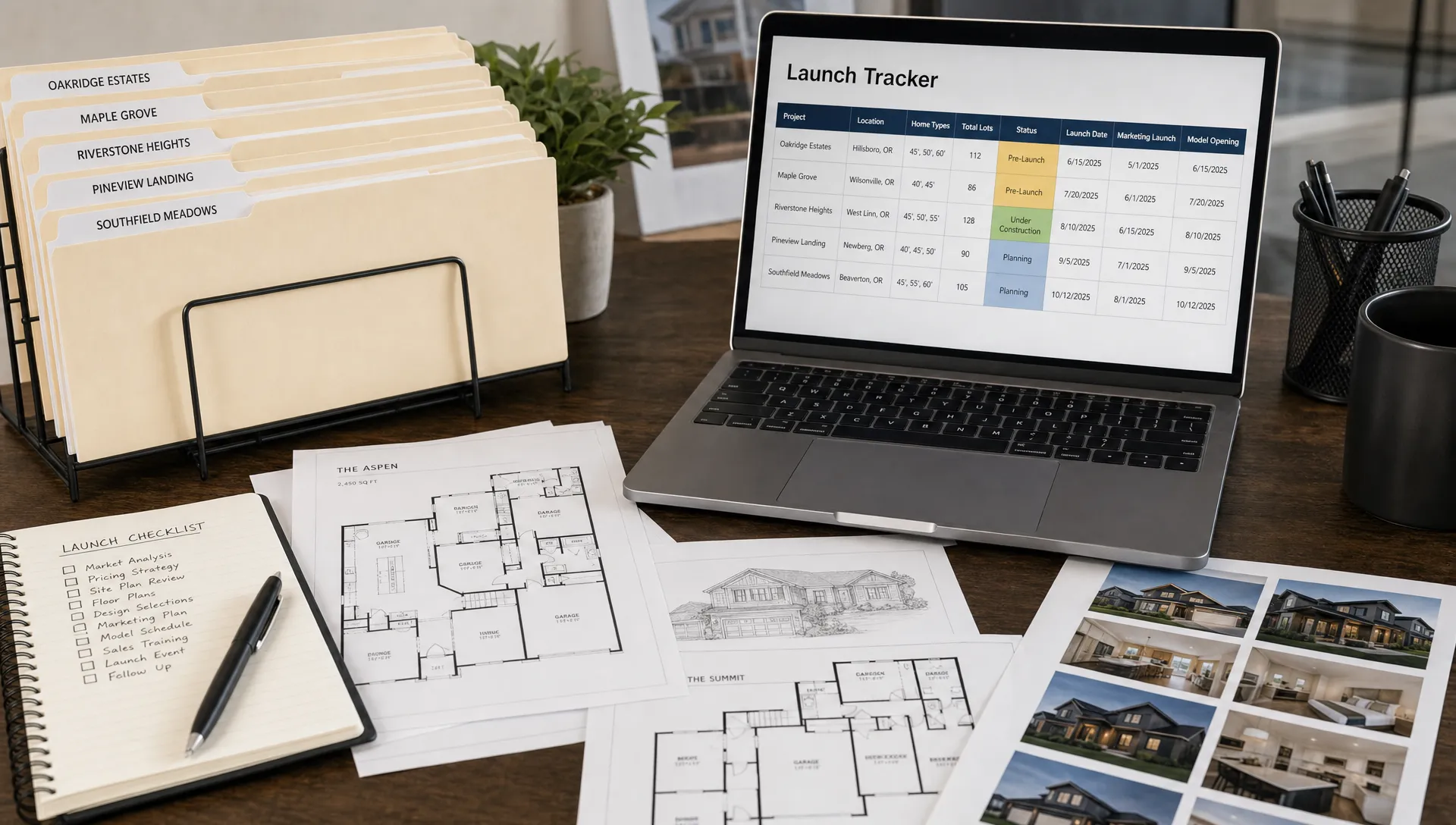
A single listing description rarely works everywhere. Portal copy, Instagram captions, email blurbs, SMS snippets and video narration all need different lengths and tones. If those assets live in separate drafts, agents waste time rewriting the same ideas and risk publishing inconsistent details.
A real estate listing database becomes more useful when it stores content by channel. You might include fields for portal headline, short social hook, long caption, email intro, video script, open home reminder and post-launch update. This does not mean writing everything manually for every property. It means creating a place where approved language can be reused safely.
For social media, add a launch sequence field or link the listing record to your posting plan. A new property might need a coming soon post, just listed reel, open home reminder, neighborhood highlight and final call before deadline. If you want a repeatable structure, connect your records to a realtor social media calendar so each listing has a clear content path after it goes live.
Keep approvals visible and time-stamped
Approvals are one of the easiest places to lose time. A seller approves the photos but not the price guide. A landlord confirms inspection times by text. A property manager asks for one sentence to be removed from the copy. If those decisions stay buried in messages, the team may keep chasing answers that already exist.
Add approval fields that match the materials you publish. Common fields include copy approved, price approved, photo gallery approved, floor plan approved, video approved and launch date approved. A date field beside each approval helps you see when a decision was made.
The real estate listing database can also include a short approval notes field. Keep it factual and brief. For example, seller prefers twilight exterior as hero image or landlord approved Saturday inspection time. These notes save time for anyone preparing the portal upload, email campaign or social post.
This is also where internal accountability improves. When every approval has an owner, a date and a status, agents no longer need to ask whether marketing can proceed. They can see it.
Design for handoffs between people and tools
Even solo agents hand work off. You hand photos to an editor, details to an assistant, copy to a vendor, campaign links to a seller and performance updates back to yourself. A clean database makes these handoffs less fragile.
Create a field for owner or next responsible person. This does not need to be formal project management software. A simple owner field can show whether the agent, admin, photographer, copywriter or principal has the next action.
Once a real estate listing database exists, you can also connect it to your launch toolkit. That may include your CRM, portal drafts, design templates, video platform, email marketing tool and social scheduler. If you are reviewing the broader stack, this guide to real estate listing tools that speed up launches can help you decide which tools belong around the database rather than inside it.
The key is to avoid duplicating data in too many places. Store the source facts once, then use tools to transform those facts into the assets you need.
Maintain the database after the launch
A database only stays useful if it is maintained after the listing goes live. Otherwise, it becomes a launch checklist with no long-term value. Add a closing habit to every campaign so the record is updated before it is archived.
Capture final outcomes, campaign notes and reusable assets. You may want to record sold or leased date, final price status if publishable in your market, days on market, best-performing post, common buyer questions and feedback for the next similar listing. These fields can improve your next appraisal, vendor meeting or marketing plan.
Your archive can also become a training asset for junior agents and assistants. When they can review past records, they learn what a complete launch looks like without needing to interrupt senior team members for every detail.
Review the system monthly. Remove fields nobody uses, merge duplicates and check whether every active listing has an owner and next action. A small maintenance routine prevents the database from becoming another admin burden.
Frequently Asked Questions
What should a real estate listing database include first? A real estate listing database should include the property address, listing type, lead agent, target launch date, status, asset folder, key property facts, approval fields and links to final marketing materials. Add extra fields only when they solve a repeated launch problem.
Can I build this in a spreadsheet? Yes. Many agents can start with Google Sheets, Excel, Airtable or a CRM custom view. The platform matters less than having consistent fields, clear statuses and one agreed place for listing information.
How is this different from my CRM? A CRM usually tracks people, relationships and lead activity. A listing database tracks the property launch workflow, including assets, approvals, channel content and publication status. Some teams combine them, but the structure should still make listing readiness easy to see.
How often should the database be updated? Update it whenever a launch-blocking detail changes, such as price, photos, approval status, inspection time or publication date. For active campaigns, a quick daily review is usually enough to keep work moving.
Should archived listings stay in the database? Yes, but separate them from active work. Archived records help you reuse proven copy angles, compare campaign notes and train team members on what a finished launch should contain.
Turn organized listings into faster marketing assets
A clean database gives you the foundation for faster publishing. Diane builds on that foundation by turning listing details, photos and property information into ready-to-publish real estate videos with AI narration, animated avatars, cinematic editing, multilingual support and branded social formats.
If your listing facts and assets are already organized, video creation becomes far easier. Instead of rebuilding the story from scratch, you can move from approved listing record to polished reel in minutes. To see how AI-assisted video can fit into your launch workflow, visit Diane.