
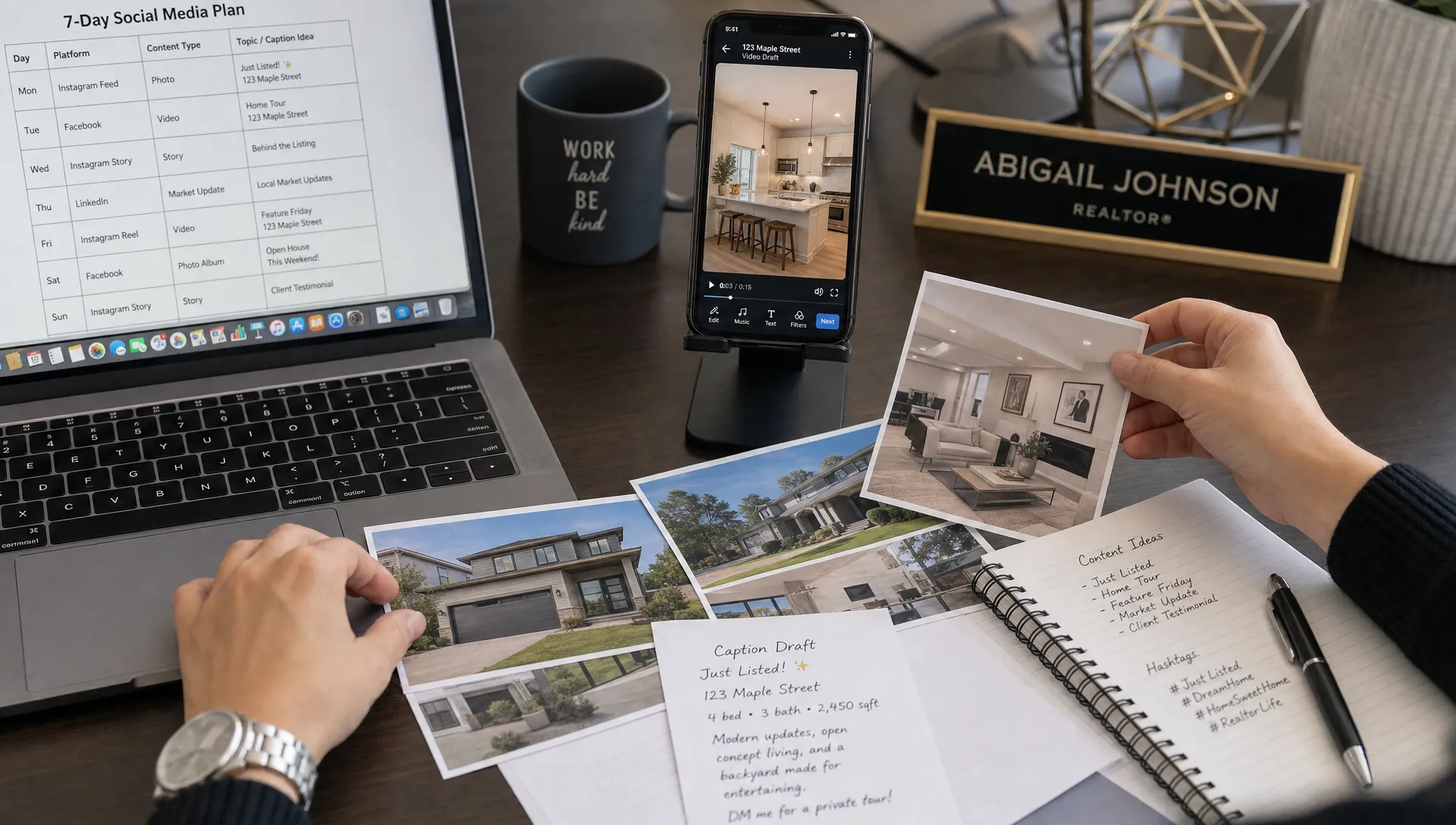
A Realtor Social Media Calendar for Every New Listing
A new listing gives you a short window to earn attention, answer buyer questions and show sellers you are moving fast. A clear realtor social media calendar helps you turn that window into a simple sequence of posts instead of scrambling for captions after the listing goes live.
The goal is not to post the same house photo everywhere for a week. The goal is to build momentum: announce the property, reveal the strongest features, explain the lifestyle, invite showings, handle objections and keep the listing visible until it is under contract or sold.
Why a realtor social media calendar beats random posting
Random posting usually fails for one of two reasons. Either the listing gets one rushed launch post and disappears from the feed, or the agent repeats the same image and caption until the audience tunes out. Neither approach reflects how buyers actually make decisions.
A buyer may notice the kitchen on Instagram, save the floor plan from Facebook, ask a question after a story poll and send the listing to a partner later that night. Sellers are watching too. They want to see organized promotion, not one-off activity.
A calendar gives every post a job. One post creates awareness. Another builds trust. Another drives a showing request. For independent agents and small agency owners, this is also a workload tool. You can batch the campaign once, then publish across the week without rebuilding your marketing from scratch.
The realtor social media calendar at a glance
Use this realtor social media calendar as a working template for every new listing. Adjust the timing based on MLS rules, seller preferences, open house dates and how quickly your market moves.
| Timing | Main goal | Best content format | Call to action |
|---|---|---|---|
| Prep day | Build the content kit before launch | Short video script, photo selections, caption drafts | Save assets and confirm approvals |
| Launch morning | Announce the listing clearly | Reel, carousel or short vertical video | Ask for a showing or DM for details |
| Launch evening | Add a lifestyle angle | Stories, neighborhood clip or agent selfie video | Ask a question or invite replies |
| Day 2 | Explain the layout and top features | Room-by-room reel or photo sequence | Save the post or request the full listing |
| Day 3 | Sell the location | Neighborhood post, map context or local amenity clip | Ask about the area or share with a buyer |
| Day 4 | Answer common questions | FAQ post, story stickers or talking-head video | Book a private tour |
| Day 5 | Promote urgency without pressure | Open house reminder or showing availability post | Confirm attendance or schedule a slot |
| Day 6 to 7 | Extend reach and retarget interest | Recap video, testimonial-style seller update or new angle | Revisit the listing or send to a friend |
| Status change | Keep the story moving | Under contract, price update or sold post | Start a buyer or seller conversation |
This sequence works because it gives the same property multiple entry points. Someone who ignored the launch post may respond to the neighborhood post. Someone who liked the kitchen may finally ask for a showing after seeing the floor plan.
Before launch: build the content kit
Your realtor social media content kit should be ready before the listing hits the market. If you wait until launch day, you will be making creative decisions while answering calls, reviewing showing requests and checking that the property page is live.
Start with the raw materials: listing photos, square footage, bedrooms and baths, key upgrades, neighborhood highlights, price, showing instructions and disclosure-sensitive details your brokerage allows you to share. Add seller-approved selling points in plain language. A phrase like renovated kitchen is fine, but buyers respond better to specifics such as quartz counters, new cabinetry and morning light over the breakfast area.
Then decide which photos carry the story. You do not need every image for social. Pick the strongest exterior, the best living area shot, the most emotional kitchen image, the primary bedroom, one bathroom, one outdoor space and one neighborhood cue if available.
For video, write one short script before you edit anything. Keep it to 30 to 45 seconds for launch, then create shorter variations for stories and follow-up posts. If you want a broader cross-channel approach, Diane has a useful guide on how to plan realtor videos for marketing across every channel.
Day 0 to Day 1: launch with clarity
A practical realtor social media launch does three things quickly: it tells buyers what the home is, why it matters and what they should do next. The first post should not be mysterious. Save teaser content for luxury campaigns or coming-soon strategies where your MLS and brokerage rules allow it.
The launch caption can be simple: property type, location, standout feature, price positioning if appropriate and a direct next step. Avoid overloading the post with every room description. Social media is not the listing page. It is the doorway to the listing page, the DM conversation or the showing request.
Launch post formula
Use this four-part formula when you are short on time:
- Hook: New listing in a specific neighborhood, price band or lifestyle category.
- Proof: One or two concrete features, such as a finished basement, renovated kitchen or walkable location.
- Context: Who the home is ideal for, stated carefully and without discriminatory language.
- CTA: Message me for the full details, schedule a private tour or send this to someone looking in this area.
The best launch asset is usually a short vertical video because it gives motion to static listing photos. You can also use a carousel if the home has strong photography and the audience already engages with your feed.
First 24 hours story plan
Stories are useful because they let you create touchpoints without flooding your main feed. Share the launch post, add a poll about the favorite feature, post a behind-the-scenes note from the photo shoot and remind local followers about showing availability.
Keep the seller in mind. Stories feel casual, but they still represent the listing. Check for personal items, visible documents, private property details and anything that could conflict with MLS or brokerage guidance.
Day 2 to Day 4: keep the listing moving without repeating yourself
By the second day, the first wave of attention is fading. This is where a calendar earns its keep. Instead of reposting the same announcement, use the next three days to answer the buyer questions that usually come up after someone saves or shares a property.
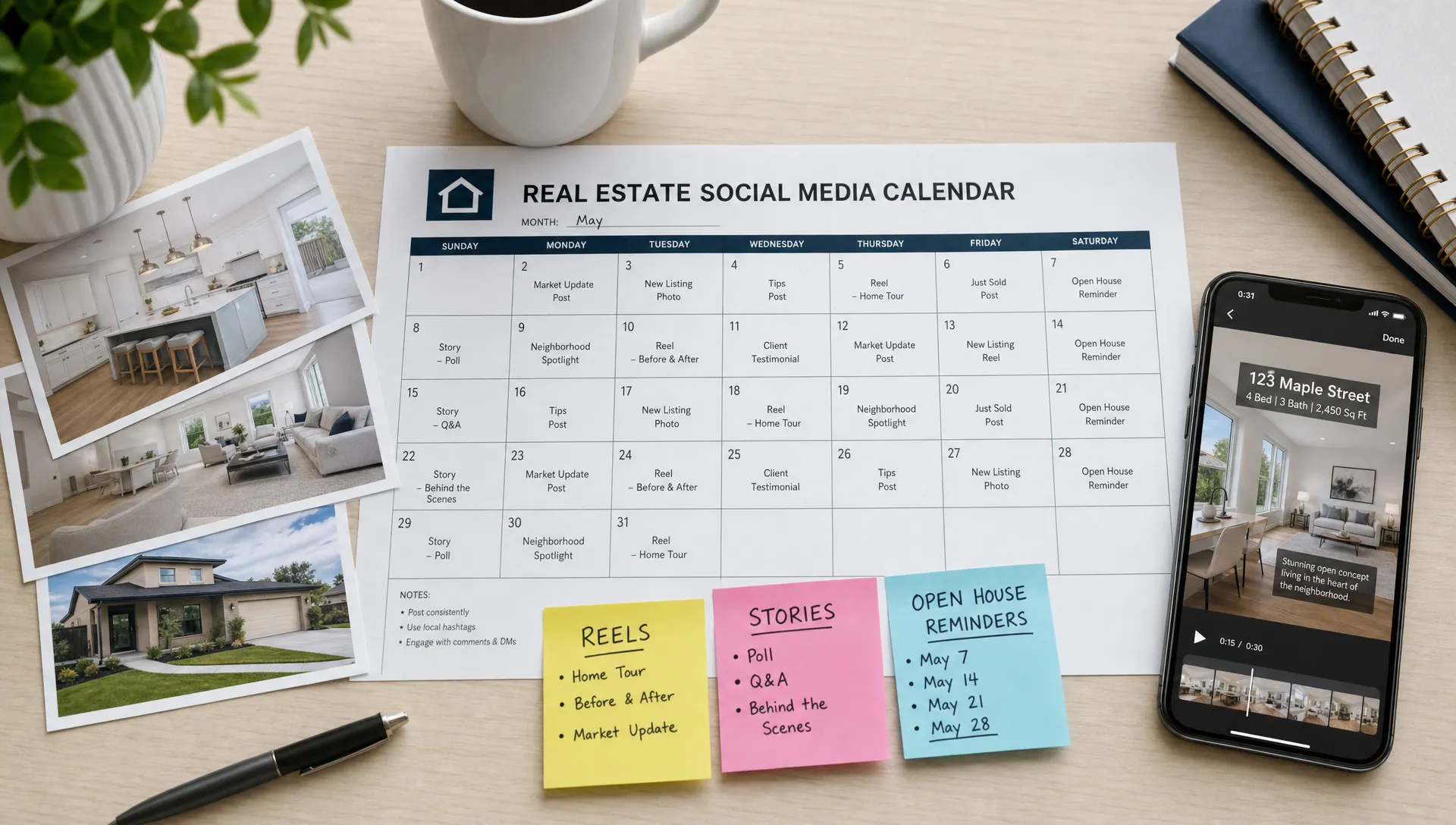
Turn one listing into multiple angles
A good listing has more than one story. The kitchen may attract attention, but the commute, outdoor space, storage or flexible floor plan may be what moves a buyer to book a tour.
| Content angle | Post idea | Best for |
|---|---|---|
| Layout | A quick room flow video from entry to living area to kitchen | Buyers comparing usability |
| Lifestyle | Morning coffee on the patio, walkable shops or work-from-home space | Emotional connection |
| Value | Comparable feature set, upgrades or rare lot size | Buyers watching a price band |
| Neighborhood | Schools, parks, dining, transit or commute context where allowed | Relocation and local buyers |
| Questions | HOA, parking, renovation age, storage or showing logistics | Reducing hesitation |
Do not force every angle if the property does not support it. A compact condo may not need a storage-focused post, but it may deserve a strong neighborhood reel. A suburban home may need a backyard, garage and school-area context post instead.
Use video to add movement
A strong Day 2 or Day 3 video does not require a film crew. You can animate listing photos, add captions, narrate the strongest features and publish in a vertical format. Tools like Diane can turn listing photos and details into ready-to-publish reels with AI narration, voice cloning, avatar presentation, multilingual support and branded social formats.
For Instagram specifically, this guide to Instagram real estate reels that turn listing photos into leads goes deeper into how to move from a static gallery to lead-focused short-form video.
Day 5 to Day 7: create urgency and answer objections
In days 5 to 7, realtor social media should move from discovery to decision support. By now, some people have seen the property but have not taken action. Your job is to remove friction, not manufacture fake urgency.
If there is an open house, post a reminder with the date, time, address rules if needed and one reason to attend. If private showings are available, say so clearly. If the property has a feature that is hard to understand from photos, such as a split-level layout or detached office, create a short explainer.
This is also the right point to connect social traffic to your owned marketing base. A polished feed helps, but your website, IDX or MLS integration, neighborhood pages, lead capture and local search visibility support the conversion path after someone clicks away from Instagram or Facebook. If your site needs that foundation, review these web design and SEO services for realtors before you scale more social traffic.
A simple Day 7 recap can bring the property back into the feed without sounding repetitive: three favorite features, one neighborhood benefit and one direct invitation to schedule a tour. If engagement has been high but showings are slow, use questions from comments and DMs to shape the next post.
After week one: keep the calendar alive until offer or closing
After week one, realtor social media should become lighter but more strategic. You do not need to post the same listing every day. You do need to keep it visible when there is new information, a fresh angle or a reason for buyers to act.
For an active listing, rotate one post every few days with a distinct purpose. Highlight a feature that was not obvious at launch. Share a short neighborhood clip. Post an open house reminder. If the price changes, explain the update clearly and direct buyers back to the listing or a private tour.
When a home goes under contract, post only what your brokerage and seller allow. Under contract content can reassure sellers that your marketing worked, but avoid implying a closed sale before it is final. Once the sale closes, a sold post can become proof of service for future sellers. Focus on the process, the marketing effort and the outcome without exposing private negotiation details.
If you represent multiple listings, build a status-based version of the calendar. New listings get the full launch sequence. Active listings get feature refreshes. Pending listings get careful updates. Sold listings become credibility content for your seller audience.
How to batch a realtor social media calendar in 30 minutes
You can build a complete realtor social media calendar quickly if you stop treating each post as a separate creative project. Start with the listing facts, choose the strongest story angles and produce variations from the same asset set.
A simple batching workflow looks like this:
- Choose the main promise: Decide whether the property is most compelling because of location, condition, space, design or price position.
- Select 8 to 12 photos: Pick images that support that promise and show the home in a logical order.
- Write one core script: Create a 30 to 45 second narration that introduces the property and strongest features.
- Cut three short versions: Make a launch reel, a feature reel and a neighborhood or open house reminder.
- Draft captions in one sitting: Write captions for launch, feature, FAQ, open house and recap posts.
- Schedule or save everything: Load posts into your publishing tool, social platform drafts or team workflow.
Diane is designed for this kind of listing launch. Agents and agencies can import listing information, create AI real estate videos, add branded narration, use an AI avatar or their own cloned voice, support multiple languages and prepare social-ready formats in minutes. If you need a practical production walkthrough, see how to create real estate videos for marketing in minutes.
The point is not to automate your judgment. You still choose the positioning, confirm accuracy and protect the client relationship. The advantage is that repetitive production work no longer blocks you from posting consistently.
Common mistakes to avoid
Even a strong calendar can underperform if the content feels careless or repetitive. The most common mistake is treating social posts like shortened MLS copy. Buyers do not need every field repeated in paragraph form. They need a reason to stop, understand the opportunity and take the next step.
Another mistake is ignoring compliance. Do not invent neighborhood claims, overstate renovations, use discriminatory phrasing or publish seller-sensitive details. If you use virtual staging, disclose it clearly where required and avoid presenting staged rooms as current physical conditions.
Finally, do not make every post about the property alone. Your content should also help buyers understand the buying process and help sellers see how you market. A single listing can teach your audience what makes a floor plan functional, why lighting matters, how open house traffic works or how pricing strategy affects attention.
Frequently Asked Questions
How many times should I post about a new listing? For most listings, 5 to 8 social touchpoints in the first week is enough if each post has a different purpose. Mix feed posts, reels and stories so the listing stays visible without feeling repetitive.
What should be the first post in a realtor social media calendar? The first post should be a clear launch announcement with the property type, location, strongest feature and a direct call to action. A short vertical video or carousel usually works best.
Can I reuse the same calendar for every listing? Yes, you can reuse the structure, but the angles should change. A downtown condo, luxury home, fixer-upper and family-sized suburban property each need different hooks, visuals and buyer questions.
Should every new listing include video? Video is strongly recommended because it helps buyers understand flow, scale and atmosphere faster than static images alone. It is especially useful for social platforms where motion earns more attention.
What if the listing sells quickly? Shift from launch content to under contract or sold content, following seller, MLS and brokerage rules. The remaining calendar can become proof-of-marketing content for future seller leads.
Turn every new listing into a repeatable campaign
A listing calendar gives you more than posts. It gives you a launch system you can repeat, refine and delegate. You know what to publish, when to publish it and why each asset exists.
If you want to move faster without lowering quality, Diane can help turn listing photos and details into polished real estate videos with AI narration, avatars, voice cloning, cinematic editing, branding and social formats ready for your next launch.