
Social Media Copyright Rules for Real Estate Video Content
A polished listing reel can still create a copyright problem. For social media real estate content, paying for photography, finding a song inside an app or importing photos from a listing portal does not automatically give you every right needed to publish a video. The permissions may change when you animate a photo, boost a post or upload the same reel to another platform.
The practical rule is simple: clear the assets, the intended use and the distribution channels before publishing. This guide focuses on U.S. copyright principles and the licensing decisions agents and agency owners face. It is general information, not legal advice.
Start with ownership, not access
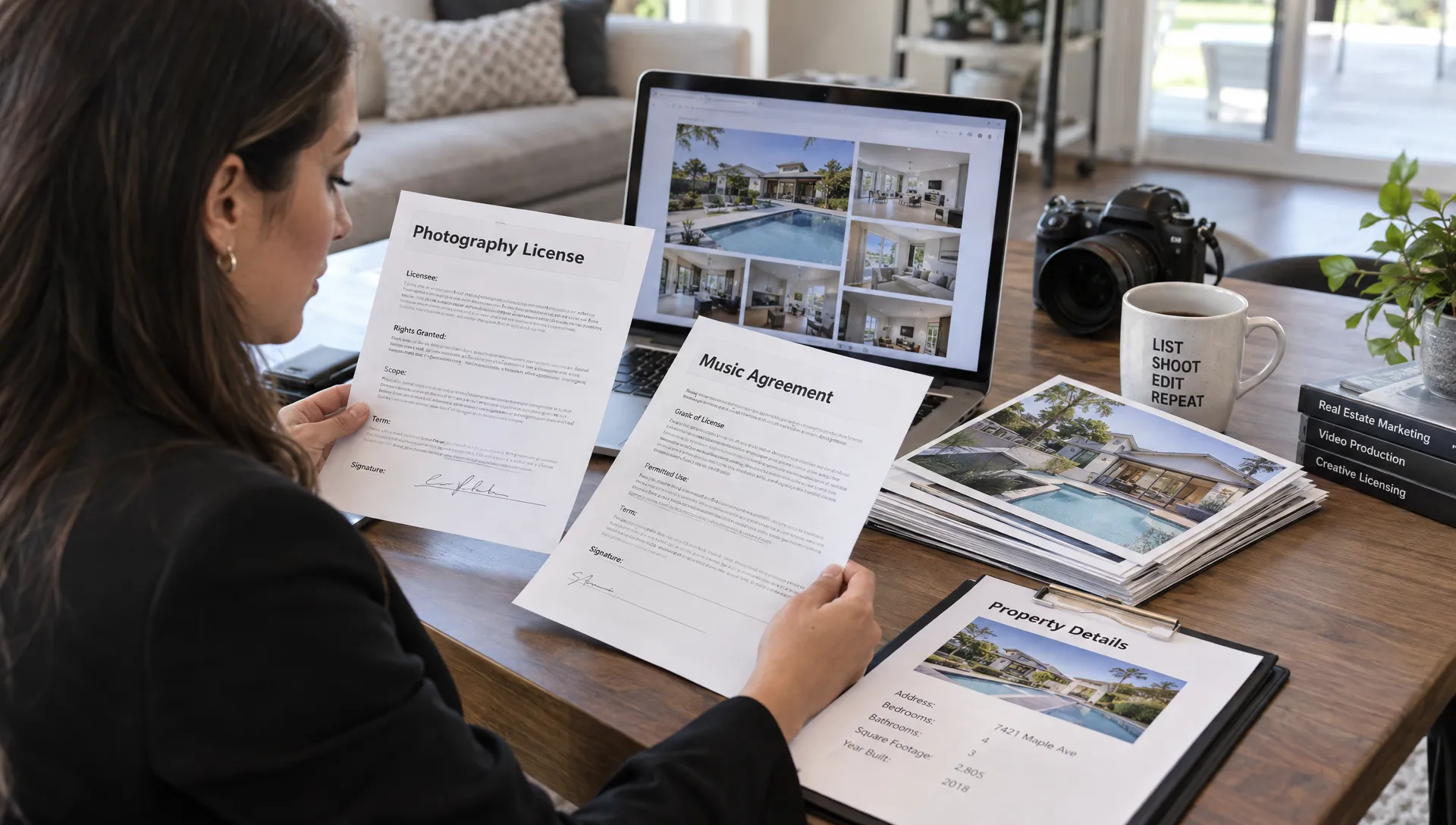
Copyright generally belongs initially to the person who creates an original photograph, video, illustration or piece of writing, subject to exceptions such as qualifying works made for hire. Commissioning a shoot does not automatically transfer copyright to the agent who paid for it. The U.S. Copyright Office’s ownership guidance explains this distinction.
A photographer might give you a limited marketing license while retaining ownership. That arrangement can work well, provided the license covers what you actually plan to do.
Check whether it permits video creation, cropping, animation, AI processing, social posting and paid advertising. Also identify who may use the assets: you personally, your brokerage, a production vendor or a future listing agent.
For social media real estate campaigns, the useful question is not simply, “Do I have these files?” It is, “Can this account use these files in this way?”
Property ownership is a separate issue. A seller’s permission to market a home does not necessarily authorize reuse of a previous agent’s photography, a photographer’s images or someone else’s creative listing description.
Build a rights checklist for every asset
A single reel can combine several independently protected works. Approval for one asset does not clear the others.
The move toward short-form video, AI-assisted production and user-generated content discussed in Kell Web Solutions’ 2025 social media trends overview makes an asset-by-asset check especially useful. Each additional source introduces another permission to verify.
| Asset | Common misunderstanding | What to verify |
|---|---|---|
| Commissioned listing photos | Paying the invoice transfers ownership | The written license or assignment and its permitted uses |
| MLS or portal images | Download access permits unrestricted reuse | The underlying image license and applicable MLS or portal terms |
| Stock footage and graphics | A subscription covers every marketing use | Commercial use, editing rights and any account or distribution restrictions |
| Client-submitted clips | A client’s message clears all rights | Whether the client owns the clip, plus permission for the intended reuse |
| Existing listing descriptions | Everything on a listing page is free to copy | Permission for original wording, even though underlying property facts are not copyrighted |
An import feature solves a production task, not a licensing question. Keep the original rights documentation even when a platform makes importing effortless.
Music licensing for social media real estate videos
Music is a frequent source of avoidable trouble because a track may involve rights in both the musical composition and the particular sound recording.
Putting music together with video generally requires appropriate synchronization permission for the composition and permission to use the recording, often called master-use permission. A stock-music license may bundle these permissions. A commercial recording may involve separate rights holders.
“Royalty-free” does not mean copyright-free or unrestricted. It describes a licensing model. The actual terms might limit platforms, client work, paid advertising or how many accounts can publish the finished video.
Buying a song or subscribing to a streaming service does not ordinarily provide permission to use that recording in a property advertisement.
Organic posts and paid ads can have different permissions
A track available in an app is not necessarily cleared for every account or use. Availability can vary by region, account type and placement. A business promoting a listing should not assume that an organic post is personal or noncommercial just because no advertising budget is attached.
Meta’s music guidelines distinguish commercial or non-personal music use from other uses and require appropriate licenses unless an exception applies under the guidelines.
Before boosting social media real estate videos, check the track’s advertising permissions. A license suitable for an ordinary feed post may not cover a sponsored placement.
A practical approach is to choose music whose written terms expressly cover your business use, intended platforms and advertising plans. Keep those terms with the project rather than relying on the track’s continued availability inside an app.
Treat cross-posting as another licensing decision
A reel that publishes successfully on Instagram is not automatically cleared for TikTok, YouTube or a brokerage website. In-app music permissions may be platform-specific, so downloading a finished reel does not necessarily carry its soundtrack license elsewhere.
Keep a clean video master without platform-added music. Then use either a soundtrack licensed for all planned destinations or a separately permitted track for each channel. This also makes replacing disputed audio less disruptive.
For social media real estate distribution, maintain a simple destination record: platform, publishing account, organic or paid use and approved audio version. If a brokerage account and several agent accounts will publish the video, check whether the license covers that arrangement.
Our guide to formatting real estate videos for different social platforms covers the production side of reuse. Rights clearance belongs alongside those formatting decisions, not after the exports are finished.
Credit, short clips and fair use are not automatic permission
Tagging a photographer is good attribution, but it does not replace a license. Neither does writing “no copyright intended” or removing a watermark.
There is also no universal five-second, ten-second or percentage rule that makes borrowed music or footage safe. The U.S. Copyright Office’s fair use guidance describes four factors, including the purpose of the use, the nature of the work, the amount used and the effect on its potential market.
Commercial use is relevant but does not automatically defeat fair use. Equally, adding captions, cropping a clip or recording narration over it does not automatically make the use fair.
For routine social media real estate promotion, a suitable license is usually more predictable than building a campaign around an uncertain fair use argument.
Consider artwork visible inside a property, too. A painting appearing incidentally in a room shot presents a different question from using that painting as the reel’s main visual. Context matters. Reframing, substituting an authorized image or obtaining advice may be preferable when a protected work becomes the centerpiece.
AI editing does not remove third-party rights
Animating a photograph, generating a camera move or adding an avatar does not erase rights in the source material. Before uploading assets to an AI service, check whether your license permits that processing and whether the service’s terms fit your obligations to the rights holder.
Separate two questions: whether you may use the inputs and whether the resulting output qualifies for copyright protection. Those are not the same issue.
The Copyright Office’s AI resources explain its work on copyright and artificial intelligence. Under U.S. principles, human authorship remains central to protection. Human-created scripts, editing choices or arrangements may be protectable even where purely AI-generated elements are not.
For social media real estate videos, document the source assets and meaningful human contributions rather than assuming the finished export is entirely exclusive or fully protectable.
Voice cloning and avatars introduce additional concerns. Obtain appropriate authorization before using someone’s voice or likeness. Publicity rights, privacy, contracts and deceptive-advertising rules are distinct from copyright, so copyright permission alone is not complete clearance.
Create a reusable approval workflow
A small agency does not need a complicated rights-management system. It needs a consistent record that follows each video from source files to publication.
Create one rights folder per listing or campaign. Store licenses, permission emails, asset receipts and the applicable terms. Where terms may change, retain a dated copy of the version governing your use, along with the purchase or download record.
Before approving social media real estate content, check these six points:
- Source: Identify who created or supplied every photo, clip, graphic and soundtrack.
- Scope: Confirm video edits, AI processing, organic posting and paid advertising where relevant.
- Users: Verify which agents, brokerage accounts and contractors may handle or publish the assets.
- Destinations: Record the approved platforms and any website or listing-channel use.
- Duration: Note expiration dates, listing-status restrictions and what happens when representation ends.
- Evidence: Save the agreement, asset identifier and approval record with the final video.
Give one person responsibility for resolving missing permissions before publication. A shared folder helps only if someone checks it.
An email can document permission, but vague approval creates uncertainty. Ask for the specific asset, intended edits, channels, advertising use and duration. For recurring photography work, have counsel review a reusable agreement rather than renegotiating unclear permissions after every shoot.
Respond carefully to claims and takedowns
A muted track, automated claim and formal copyright takedown are not interchangeable. Read the actual notice and the platform’s explanation before deciding how to respond.
First, identify the asset and preserve the notice, published version and relevant license. Then check whether the complaint reflects an actual permission gap, an expired license or a mistaken match. A music provider or rights holder may be able to help substantiate an authorized use.
For social media real estate campaigns running as paid ads, consider pausing affected placements while you investigate. Do not simply reupload the same disputed material to another account.
Use a platform’s dispute process when you have a supportable basis. A formal counter-notification is a legal step, not a routine customer-service appeal. It can disclose identifying information and carry litigation consequences, so obtain legal advice when appropriate.
If permission is missing, replacing an asset may be the practical next step, but it does not necessarily resolve a claim concerning past use. Keep the records and address the underlying complaint.
Frequently asked questions
Can another agent reuse a video after taking over the listing? Not automatically. The photography, music and production licenses may cover only the original agent or brokerage. The new agent should obtain permission that covers their own accounts and uses rather than assuming the seller can transfer every right.
Can I keep a listing reel online after the home sells? Check the asset licenses, listing agreement and applicable MLS rules. Some permissions continue, while others depend on an active listing or a defined term. Also review seller permissions and update the presentation so it does not imply the property is still available.
Is sharing someone’s post the same as downloading and reposting it? No. Native sharing through a platform’s authorized features differs from downloading a file and making a new upload. For social media real estate accounts, check platform rules and the underlying permissions before republishing, particularly when adding branding or turning a post into an ad.
Does copyright clearance cover all advertising requirements? No. A fully licensed video can still create problems through misleading property claims, unauthorized likenesses or discriminatory messaging. Review those issues separately, including the fair housing rules for real estate videos and AI narration.
Build videos from assets you can confidently use
Once permissions are documented, production becomes easier to repeat. Diane turns listing photos and property details into marketing videos with options including AI narration, avatars and cinematic editing.
Start with assets you are authorized to upload and process, select audio cleared for your intended distribution and keep approvals beside the final export. Automation can streamline video creation, but the rights check still belongs in your publishing workflow.