
Format Real Estate Videos for Social Media Without Reshooting
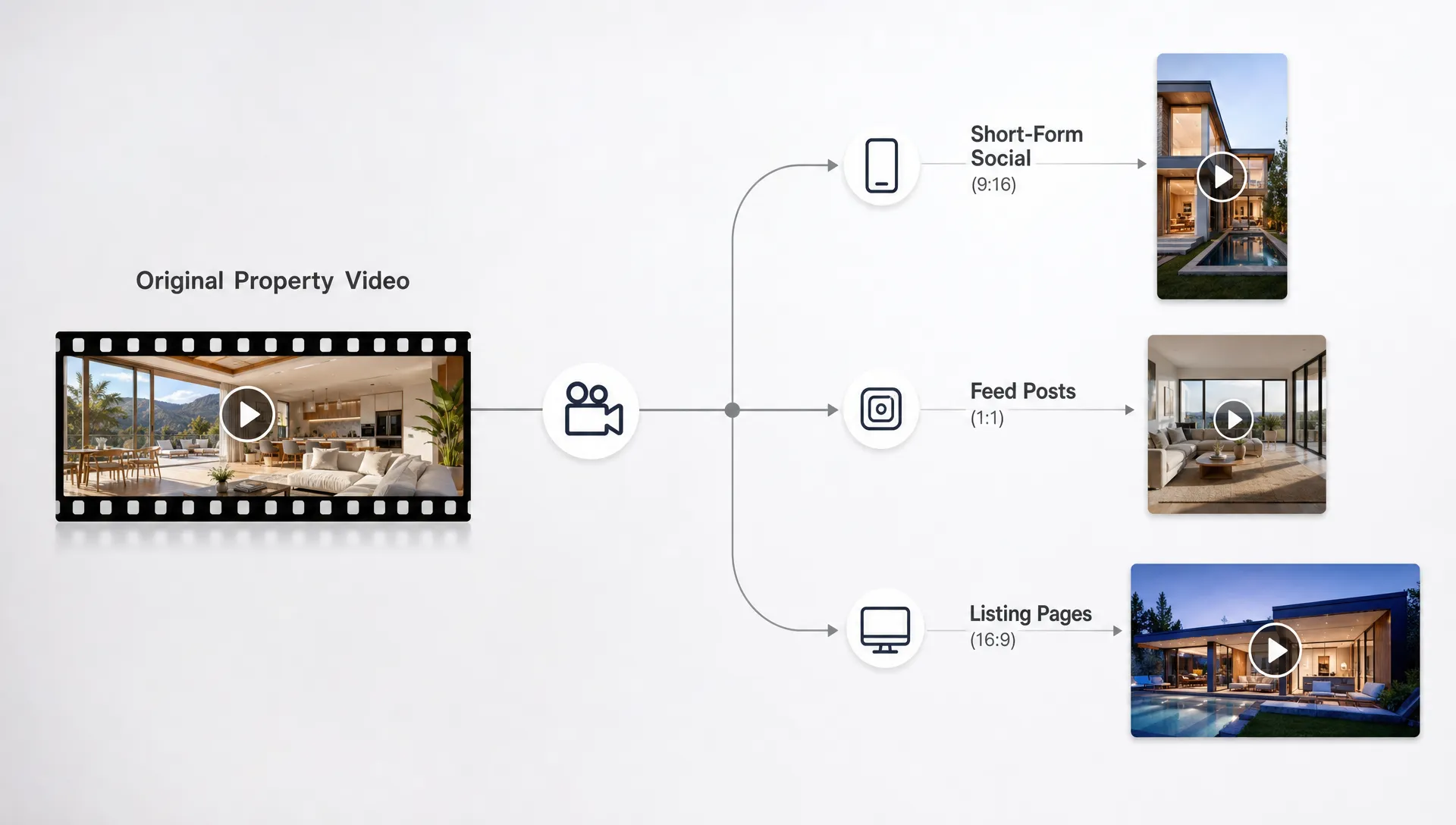
Most real estate videos do not fail because the home was filmed badly. They fail because the same file gets posted everywhere with no regard for how each platform crops, compresses, overlays buttons or changes viewer behavior. A polished landscape walkthrough can look cramped in a vertical Reel. A beautiful vertical tour can feel awkward on a listing page. A video with a clear voiceover can still lose viewers if the captions sit behind platform controls.
The good news is that you usually do not need to reshoot. You need a formatting workflow that turns one listing video, or one set of listing photos and property details, into multiple platform-ready versions.
For independent agents and agency teams, this matters because time is the constraint. You may have one photo set, one property description, one seller-approved script and one afternoon to publish. The goal is to create real estate videos for social media that fit each placement without rebuilding the entire campaign from scratch.
A master video is not the same as a universal video
A common mistake is treating the first edited video as the final video for every platform. That file might be excellent as a master asset, but it should not be the only version you publish.
A master video is the source version you adapt. It contains your strongest property shots, approved details, core message, narration and branding. A universal video is the same export posted everywhere. The first approach gives you control. The second leaves too much to automatic cropping and platform compression.
For real estate, the master version should answer three buyer questions quickly:
- What makes this property worth my attention?
- What rooms, features or lifestyle benefits are most relevant?
- What should I do next if I want to see it, save it or ask a question?
Once the master is clear, formatting becomes easier. You are not inventing new content for TikTok, Instagram Reels, Facebook, YouTube Shorts, LinkedIn and listing portals. You are changing the frame, pacing, overlay text and call to action so the same property feels native in each environment.
If your bigger challenge is producing the master asset quickly, Diane's guide to creating real estate videos for marketing in minutes goes deeper into turning listing information into a finished video workflow.
Start with the platform placements, not the crop tool
Before cropping anything, decide where the video will live. A vertical Reel and a Facebook feed video may use the same property footage, but they do not serve the exact same viewing moment.
Vertical short-form placements are best for grabbing attention, introducing the property and encouraging a quick inquiry. Feed videos can carry slightly more context. Listing site or YouTube versions can be calmer, more complete and easier to watch on a larger screen.
Use this table as a practical formatting starting point. Platform specifications can change, so always confirm final export requirements in your publishing tool, but these ratios are widely used production targets.
| Placement type | Common ratio | Best use | Formatting priority |
|---|---|---|---|
| Reels, TikTok, Shorts, Stories | 9:16 | Fast discovery and mobile viewing | Keep key features centered and captions above lower controls |
| Instagram or Facebook feed | 4:5 | Property highlights with more visual space | Use larger text and a clear first frame |
| Square feed posts | 1:1 | Repurposed clips and carousel-style campaigns | Avoid tight room crops and small captions |
| YouTube, website or listing page | 16:9 | Longer walkthroughs and polished presentations | Let rooms breathe and use smoother pacing |
| LinkedIn feed | 4:5 or 1:1 | Market updates, luxury listings and agent branding | Add context, neighborhood value or investment angle |
The table is not a creative rulebook. It is a guardrail. The best format is the one that makes the property easy to understand where the viewer actually sees it.
Build a center-safe version before making platform cuts
If you know a listing video will be used across social channels, keep the most important visual information near the center of the frame. This is especially important when adapting landscape footage to vertical formats.
For property videos, the center-safe area usually includes the front elevation, kitchen island, main living area, primary bedroom, bathroom vanity, outdoor entertaining space and any distinctive architectural detail. If those features sit too far left or right, a vertical crop may cut them off. If text overlays sit near the bottom, they may be covered by captions, usernames, buttons or comment fields.
A simple rule helps: place the home, not the graphic, at the center of the composition. Branding, price, neighborhood and calls to action can be moved for each platform. The home itself is harder to fix later.
When working from still listing photos rather than footage, create motion with controlled zooms, pans and transitions. Do not pan so far that the room's selling point leaves the vertical crop. A kitchen photo, for example, may work well as a slow push toward the island and range, while a wide exterior shot may need a subtle vertical reframing rather than a dramatic side-to-side move.
Reframe the first three seconds for each channel
You can often keep 80 percent of a listing video intact and still improve performance dramatically by changing the opening. Social platforms reward fast comprehension. Buyers scrolling on a phone need to know what they are seeing before they decide whether to watch.
A landscape walkthrough might open with a cinematic exterior shot. That works on a website, but a vertical short-form version may need a more direct opening such as:
- "Updated 3-bedroom home near downtown"
- "Tour this light-filled condo in 30 seconds"
- "Backyard, open kitchen and a flexible office space"
- "New listing for buyers who want walkability"
The best hook is not always the flashiest line. It should match the buyer's likely motivation. A first-time buyer may care about move-in condition and financing readiness. A downsizer may care about single-level living. A relocation buyer may care about commute, schools, neighborhood feel and speed of response.
Buyer education cuts can also point viewers toward trusted financing resources, such as personalized mortgage solutions from New Era Lending, when your audience needs a clearer path from interest to preapproval before booking a showing.
Adjust captions, overlays and safe zones
Captions are not optional for most social video. Many viewers watch with sound off, and even those who listen may be in noisy environments. For real estate agents, captions also make property details easier to catch at a glance.
The mistake is placing captions once and assuming they will work everywhere. On vertical platforms, buttons and engagement controls often sit near the bottom or right side. In feed placements, profile names, descriptions and interface elements can reduce usable space. Keep essential text away from the lower fifth of the frame and avoid pushing important details to the far right edge.
Your overlay hierarchy should be simple:
- Main hook: one short line that explains the property's appeal
- Supporting detail: price, location, beds, baths or standout feature when appropriate
- Action prompt: book a tour, message for details, save the listing or ask for the address
Do not put every listing fact on screen. The video should create enough clarity and interest for the viewer to take the next step. The full listing page, brochure or showing conversation can handle the complete specification sheet.
Change the pacing without changing the property story
The same sequence can work across platforms if you change its rhythm. A listing page video can move slowly enough for buyers to understand the floor plan. A Reel or Short needs tighter pacing and fewer transitional pauses.
For a 9:16 social cut, think in beats rather than scenes. A beat might be the exterior, kitchen, living area, primary suite, outdoor space and call to action. Each beat should communicate one idea. If a clip does not add new information, shorten it or remove it.
For a 16:9 walkthrough, allow more continuity. Buyers who are already on a listing page or watching a longer YouTube video may want a more realistic sense of flow. In that version, it can make sense to show the movement from entry to living area, living area to kitchen and kitchen to outdoor space.
The property story remains the same. The format changes how quickly you deliver it.
Rewrite the call to action by placement
A single call to action is rarely ideal for every channel. Someone watching a Story may be ready to tap a message button. Someone watching a LinkedIn post may be more interested in the market angle or investment case. Someone on YouTube may want a full listing link or a showing request.
A good social formatting workflow includes CTA variations before export. For example, the same property video could end with:
| Channel or placement | Better CTA style | Example |
|---|---|---|
| Instagram Reel | Direct message or save | "DM for the full address and showing times" |
| TikTok | Engagement and curiosity | "Would you use this flex room as an office or guest room?" |
| Facebook feed | Local buyer action | "Message us to schedule a private tour this week" |
| YouTube or listing page | Deeper information | "View the full listing details and book a showing" |
| Professional context | "A strong option for buyers seeking space near major commuter routes" |
This small adjustment makes the video feel like it belongs on the platform. It also helps you measure intent more accurately. Saves, comments, direct messages, link clicks and showing requests do not mean the same thing, so your CTA should match the action you actually want.
Use AI tools to avoid repetitive manual edits
Formatting real estate videos for social media used to mean opening a video editor, duplicating timelines, adjusting every crop by hand, rewriting captions and exporting multiple versions. That process works, but it is slow for agents who need to market listings consistently.
AI-assisted video tools can reduce the manual work by generating listing videos from property details, photos and scripts, then adapting them into social-friendly formats. Diane, for example, is built for real estate video creation and can turn listings into narrated marketing reels with options such as AI avatar presentation, voice cloning narration, multilingual video support, virtual staging, cinematic editing, custom branding and direct social publishing.
The key is not to let automation make every decision. Use AI to speed up the repetitive parts, then review the video like an agent who knows the property. Check that the best room is not cropped awkwardly, the neighborhood is described accurately, the captions are readable and the CTA matches your compliance requirements.
For a deeper look at this broader workflow, Diane's article on how AI for real estate turns listings into scroll-stopping videos explains how listing assets can become social-ready video content.
Keep compliance and seller approval in the formatting process
Resizing a video may feel like a technical step, but it can create compliance issues if details change during editing. Cropping can remove a disclaimer. A shortened caption can make a claim sound broader than intended. An AI narration can accidentally emphasize a feature in a way that needs verification.
Before publishing, confirm these points:
- Property facts match the listing, including beds, baths, price, location and availability
- Music, photos and video assets are licensed or approved for social use
- Brokerage branding and required disclaimers appear where needed
- Captions do not make unsupported claims about schools, neighborhoods or buyer eligibility
- Seller-approved angles and private areas are handled according to agreement
This review should happen after each format is exported, not only on the master video. A disclaimer that is readable in 16:9 may be too small in 9:16. A price overlay that looks fine in a square feed post may sit behind buttons in a Story.
Know when formatting is not enough
Most listing videos can be reformatted without reshooting, but not all of them. You may need new footage or new listing photos if the original assets are too low-resolution, heavily distorted, poorly lit or missing essential rooms. Formatting cannot create a credible property story when the source material does not show the spaces buyers care about.
You should consider reshooting or requesting more assets when:
- The kitchen, primary bedroom or exterior is missing
- The only footage is shaky or too dark to correct
- A vertical crop cuts off the main subject in every important clip
- The property has changed since the original photos were taken
- The seller wants to highlight a feature not shown in the current media
That said, many agents reshoot too soon. Before scheduling another visit, test whether a cleaner crop, shorter edit, new narration, better captions or a different opening frame solves the problem. Often, the issue is packaging rather than footage.
A practical no-reshoot workflow for agents
Use a repeatable process so every listing does not become a custom editing project.
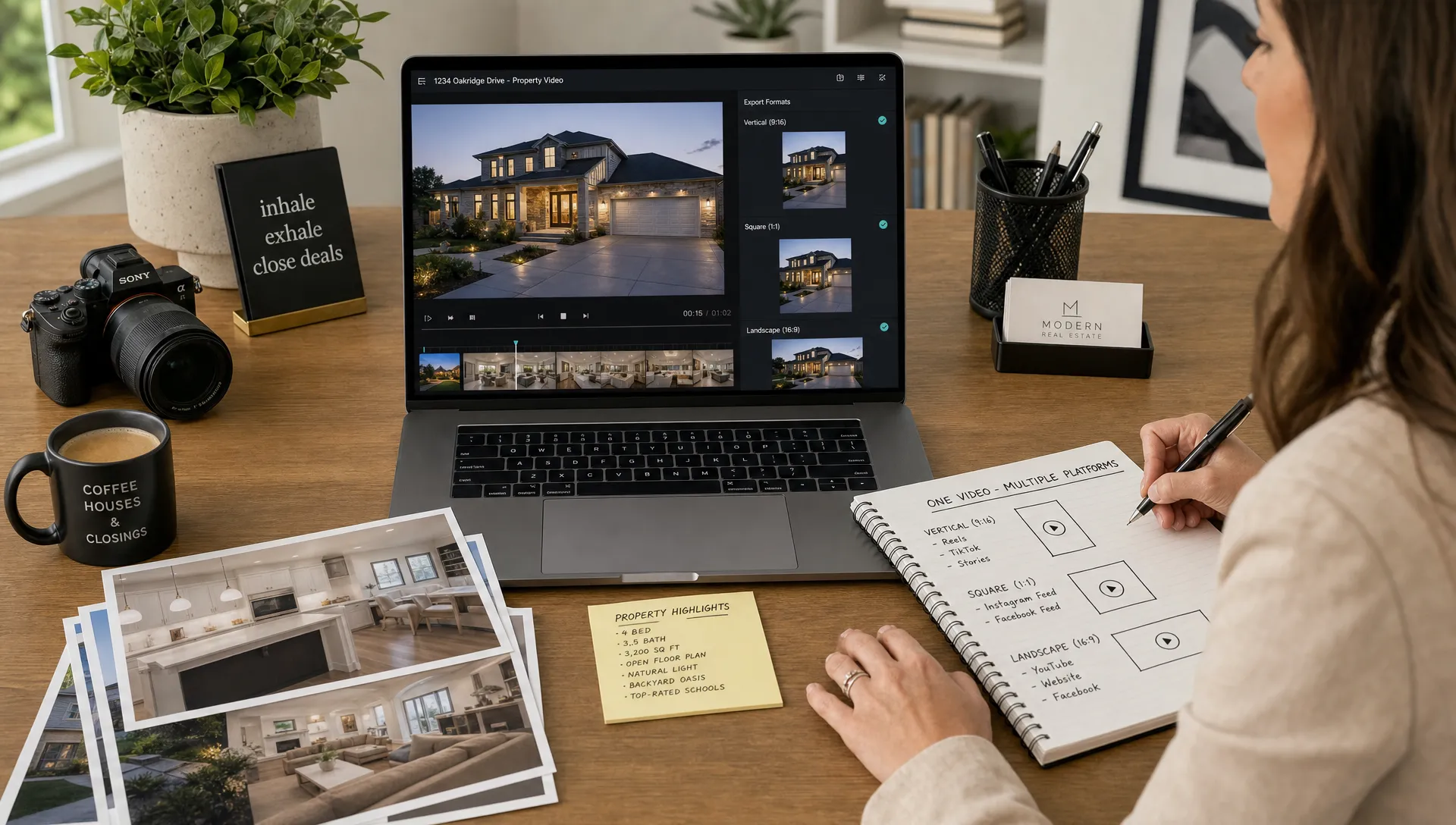
First, create or choose a master video that tells the complete property story. Then duplicate it into the formats you need, usually 9:16 for short-form social, 4:5 for feed and 16:9 for websites or listing pages. Reframe each version manually or with an AI editor, checking the key rooms and text overlays on a phone before publishing.
Next, rewrite the opening hook for each channel. Keep the same facts, but change the emphasis. A luxury listing may lead with architecture on Instagram, privacy on Facebook and market positioning on LinkedIn. A starter home may lead with affordability, location or move-in readiness depending on the audience.
Finally, export with readable captions, a platform-specific CTA and the correct branding. Store the versions with clear file names so you can reuse them in campaigns, seller reports, retargeting ads and future listing presentations.
If you need more creative angles for the same property, Diane's collection of real estate video ideas that help listings get noticed can help you turn one listing into multiple content concepts without inventing from scratch.
Frequently Asked Questions
Can I turn a landscape property video into a vertical Reel? Yes, as long as the important parts of the shot can fit inside a vertical crop. Keep key rooms centered, move captions away from platform controls and review the final version on a phone before publishing.
What is the best format for real estate videos for social media? For short-form discovery, 9:16 is usually the priority because it fits Reels, TikTok, Shorts and Stories. For feed posts, 4:5 often gives more screen space than square. Keep a 16:9 version for listing pages, YouTube and website use.
Do I need different captions for every social platform? You do not need to rewrite every word, but you should adjust caption length, placement and CTA. A caption that works on a website video may be too detailed for a Reel, while a TikTok-style hook may feel too casual for LinkedIn.
How short should a social listing video be? Many social cuts work best when they are concise, often around 15 to 45 seconds depending on the property and platform. Longer videos can work when the viewer has stronger intent, such as on a listing page or YouTube.
When is reshooting better than reformatting? Reshoot when the original media is missing key spaces, visually misleading, too low-quality or no longer accurate. If the footage is solid but the video performs poorly, try reformatting the hook, crop, captions and CTA first.
Turn one listing into multiple social-ready videos
You do not need a separate shoot for every platform. You need a smarter production system that treats each listing as a set of reusable assets, then adapts those assets for the way buyers actually watch.
Diane helps agents and agencies create AI-powered real estate videos from listings, photos and property details, with narration, avatars, branding, social formats and publishing support. If your team wants polished property videos without rebuilding every edit by hand, Diane gives you a faster way to move from listing to social-ready content.