
Virtual Staging for Real Estate Listings: How It Works, What It Costs and How to Disclose It
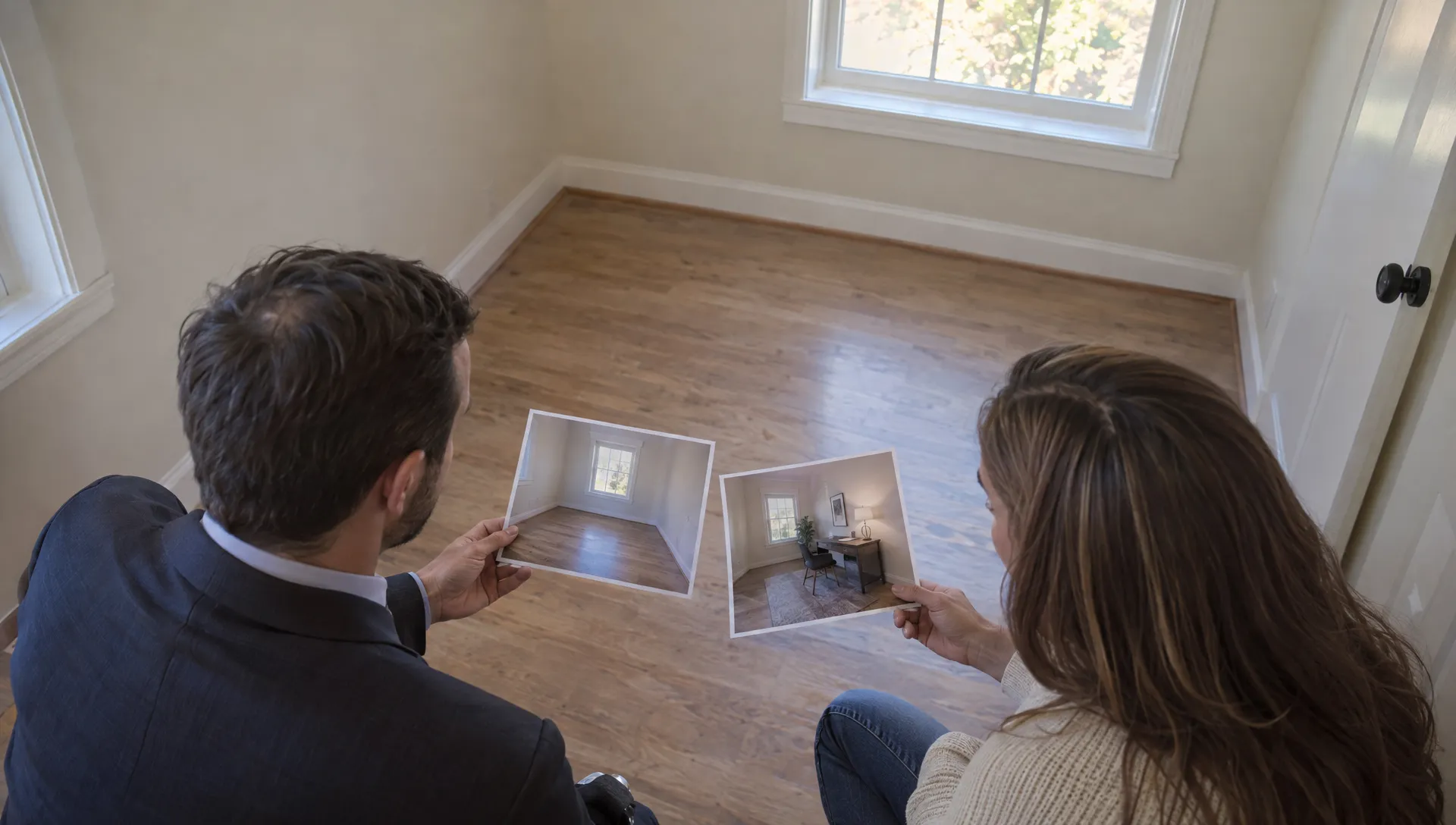
An empty room can be difficult to read in a photograph. Virtual staging for real estate listings adds digital furniture and décor so buyers can picture how the space might work. Used carefully, it explains a room’s potential without pretending the furniture is there or the property has been renovated.
For agents, the job is not finished when an image looks convincing. You also need to control costs, check that the edit preserves the property and disclose the changes wherever the visual appears. The same standards apply to listing photos, social posts and videos.
How virtual staging for real estate listings works
Virtual staging starts with a photograph of the actual property. An editor or AI tool adds movable items such as sofas, beds, rugs and lamps. Some workflows also remove existing furniture before introducing a different arrangement.
The finished image is an illustration of a possible furnishing scheme, not a record of the room’s current contents.
A reliable workflow has four stages:
- Capture the room: Take a sharp original photograph with a clear view of its layout and permanent features.
- Specify the changes: Choose the room’s purpose, furniture style and objects that may be added or removed.
- Review the edit: Compare it with the original, checking geometry, scale, shadows and unchanged property details.
- Label and publish: Identify the image as virtually staged and keep the original available to buyers.
AI-generated furniture can look plausible while still being wrong. A sofa may block a door, a rug may conceal damaged flooring or a mirror may introduce a window that does not exist.
The useful distinction is simple: virtual staging for real estate listings should change the furnishing concept, not the facts of the property. Treat every output as a draft until someone familiar with the home has checked it.
When staging helps, and when it does not
Vacant rooms and unclear layouts
An empty living room may leave buyers wondering where a dining table would fit. A modest furniture arrangement can suggest separate seating and dining areas without changing the room.
Similarly, a spare bedroom can be shown with a desk and chair to illustrate another possible use. Use measured dimensions to guide furniture choices. An attractive image is not proof that the proposed furniture will fit.
For a spare room pictured as a place for private video calls, guidance on preparing a private space for online counseling offers useful household privacy considerations. The staged image should not imply that the room is soundproof or guarantees confidentiality.
Dated furniture, not dated building features
Replacing a bulky sofa digitally may help buyers see beyond the seller’s furniture. Replacing dated kitchen cabinets is a different task: it depicts a renovation that has not happened.
Keep existing flooring, windows, radiators, built-in cupboards and other permanent features unchanged. Never remove cracks, damp patches, exposed wiring or other defects.
The strongest use of virtual staging for real estate listings is a room that needs help communicating its use, not a property that needs its condition disguised. If the photograph already explains the space clearly, staging may add little value.
What virtual staging costs: compare the whole job
There is no single useful price without a defined scope. Providers may charge per image, sell image credits, offer subscriptions or quote for a commissioned project. Compare current written quotes rather than assuming those models include the same work.
| Cost driver | What to clarify before ordering |
|---|---|
| Number of finished images | Whether you pay for generated attempts or approved deliverables |
| Removal and replacement work | Whether removing existing furniture is included |
| Human editing | Whether detailed corrections and manual retouching cost extra |
| Revisions | How many revision rounds are included and what counts as a new brief |
| Output requirements | Resolution, aspect ratios, watermarks and commercial usage rights |
| Video production | Whether animation, disclosure overlays and additional exports are separate |
For virtual staging for real estate listings, compare the cost per approved, usable image rather than the advertised cost per generation. A cheap output that needs repeated correction can consume more time than a higher-priced service with a clear revision process.
Include your own review time in the budget. Someone must compare the edited image with the original, confirm that furniture placement is credible and check every published version.
Start with one representative room before ordering a whole property. This tests the style, accuracy and revision process without committing the full budget. A free trial can help with that test, but check download quality, watermarks and commercial-use conditions before publishing anything.
How to write a brief that prevents expensive revisions
Define the room, the furniture and the boundaries
Supply the highest-quality original available. Identify the property, room and viewing angle so files cannot be confused during production. Add measured dimensions or a floor plan when available, while making clear that the source photograph controls the visible architecture.
State the intended use and preferred furniture scale. “Compact dining table with four chairs” is more useful than “make it luxurious.” Specify what must remain visible, including doors, radiators, sockets and any known defects.
For virtual staging for real estate listings, the brief should explicitly prohibit changes to permanent features. Do not rely on an editor or model to infer that restriction.
A practical brief might read:
Stage this vacant living room with a compact sofa, one armchair and a four-seat dining table. Keep the doorway and radiator unobstructed. Preserve the walls, flooring, windows, view and all visible condition details exactly as photographed. Add no built-in features. Return a labeled staged image and retain the matching original.
Specify delivery and approval
Request separate original and staged files with consistent names. Agree on the disclosure wording, image resolution and formats needed for the listing gallery and video.
If a room contains existing furniture, identify exactly which movable items may be removed. Digital decluttering must not conceal defects behind or beneath those objects.
Assign one person to approve accuracy before publication. Seller approval is useful, but it does not replace your own checks or compliance with local rules and portal policies.
How to show a before-and-after in a listing video
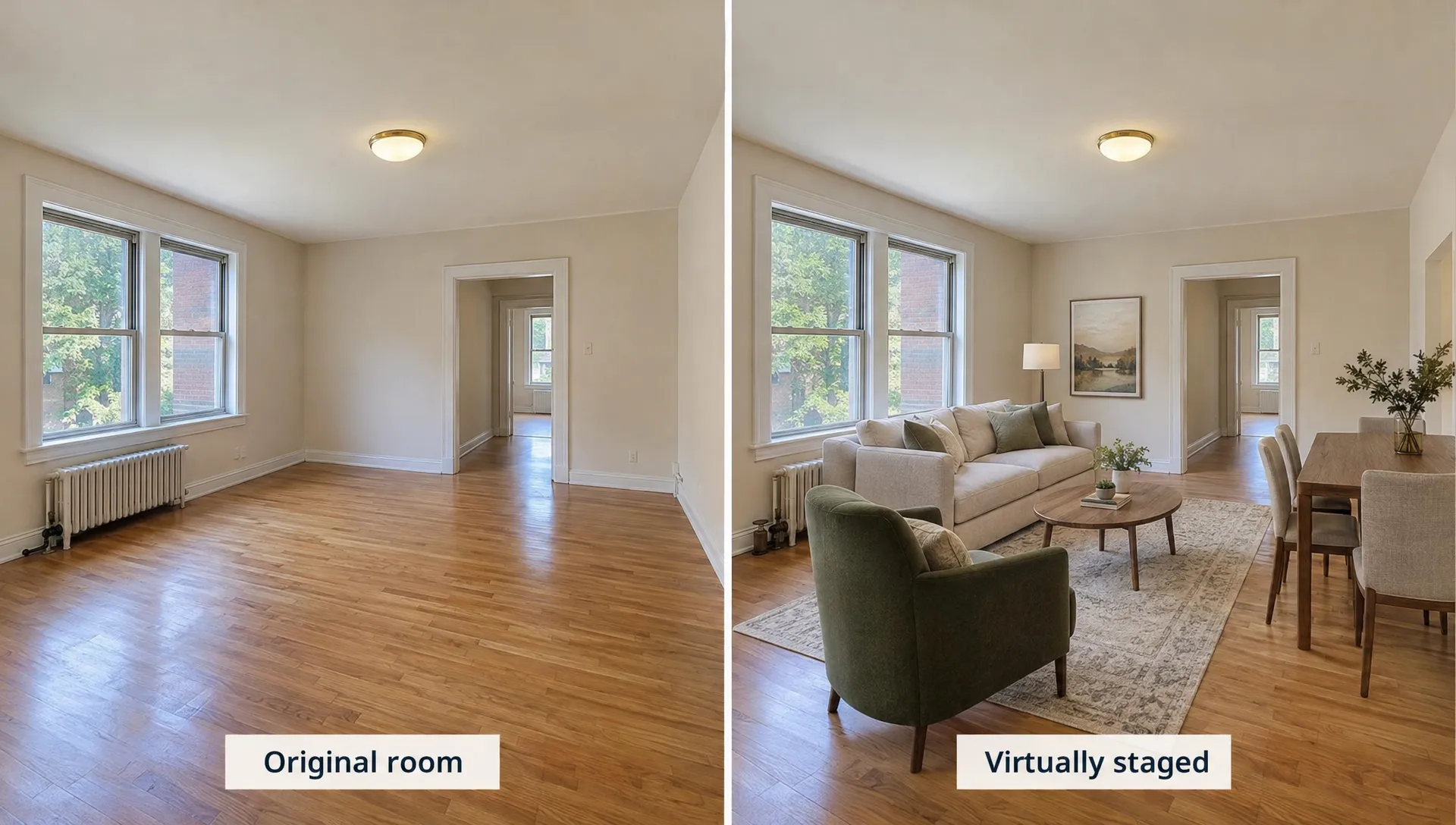
Use matching photographs taken from the same viewpoint. A different angle makes it harder for buyers to understand what changed and can exaggerate the apparent transformation.
A simple sequence works well: show the original room, introduce the staged version, then hold the comparison long enough for viewers to read the labels. For example, a short sequence could allow three seconds for the original, four for the staged image and three for a side-by-side comparison. Adjust this to suit the room and text.
With virtual staging for real estate listings, a straightforward cut or split screen usually explains the change more clearly than a dramatic transformation effect. Keep “Original room” on the original and “Virtually staged, furniture added digitally” on the edited version.
Do not present generated movement as a filmed walkthrough. Animation can distort windows, doorways and furniture between frames. A gentle pan or zoom across an approved still is easier to inspect, though the exported video still needs review.
When you use video alongside listing portals, check each destination’s crop and text placement. A disclosure visible in a horizontal export may disappear in a vertical crop.
If narration describes the staged room, say “illustrated with a possible furniture layout,” not “fully furnished.” If you use a cloned voice, obtain explicit consent from the person whose voice is cloned.
How to disclose staging without misleading buyers
Put the label on the edited visual
Use plain language directly on every staged image. “Virtually staged, furniture added digitally” is clearer than “enhanced image,” which does not explain what changed.
Where existing furniture was removed, use wording such as: “Virtually staged, existing furniture digitally removed and replacement furniture added.” Adapt the wording to the actual edit rather than copying a label that omits part of the work.
Disclosure for virtual staging for real estate listings should travel with the visual. Do not rely only on a caption, listing description or final video credit that may be separated from the image when shared.
Keep the label readable on a phone. Avoid placing it where platform controls, captions or cropping will cover it. In video, retain it throughout the staged shot, not just during the transition.
Make the original easy to find
Where permitted, place the original beside or immediately before the staged version in the listing gallery. If the portal offers a dedicated staging label, use it as well as any other required disclosure.
Keep the source photograph in your listing file and available to prospective buyers. If a channel cannot accommodate the original, explain where it can be viewed and check whether that arrangement meets the channel’s requirements.
Keep a record of the approved edit and its disclosure wording. For agency teams, this review belongs in the listing video workflow, not as an optional check after publication.
A disclaimer does not justify a false image
Never enlarge a room, move a window, remove a structural column, improve the outside view or hide a defect. Labeling an image “virtually staged” does not make those changes acceptable.
The standard for virtual staging for real estate listings is both accurate editing and clear disclosure. Check your local advertising rules, professional obligations and each listing portal’s policies before publishing. These practical safeguards are not a substitute for jurisdiction-specific advice.
Frequently asked questions
Can I do virtual staging myself? Yes, using an image-editing or dedicated staging tool. Start with one room and compare the result closely with the original. DIY production does not remove the need for accurate furniture scale, commercial usage rights and disclosure.
Can ChatGPT do virtual staging? OpenAI documents image creation and editing in ChatGPT. It can help produce a furnishing concept, but do not assume it will preserve architecture or dimensions accurately. Check the result against the original before considering it for publication.
Is free virtual staging suitable for a live listing? It can be, if the output passes your accuracy checks and the tool’s terms permit commercial publication. Check resolution, watermark requirements and download rights. Free access alone does not establish suitability.
Do I need to label every staged image? Label each edited image and each staged video shot so the disclosure remains clear when content is viewed separately. Also follow any additional requirements imposed by local rules or the publishing platform.
Does virtual staging replace physical staging? No. Virtual staging for real estate listings illustrates a furnishing possibility online, while physical staging changes what visitors see in person. Buyers should know before a viewing that the digitally added furniture will not be present.
Put the approved visuals to work
Diane’s virtual home staging is an option for agents preparing staged property visuals. The platform also creates listing videos from photos in social media formats. Start with an approved original-and-staged pair, keep the disclosure visible and review the final export before publishing.