
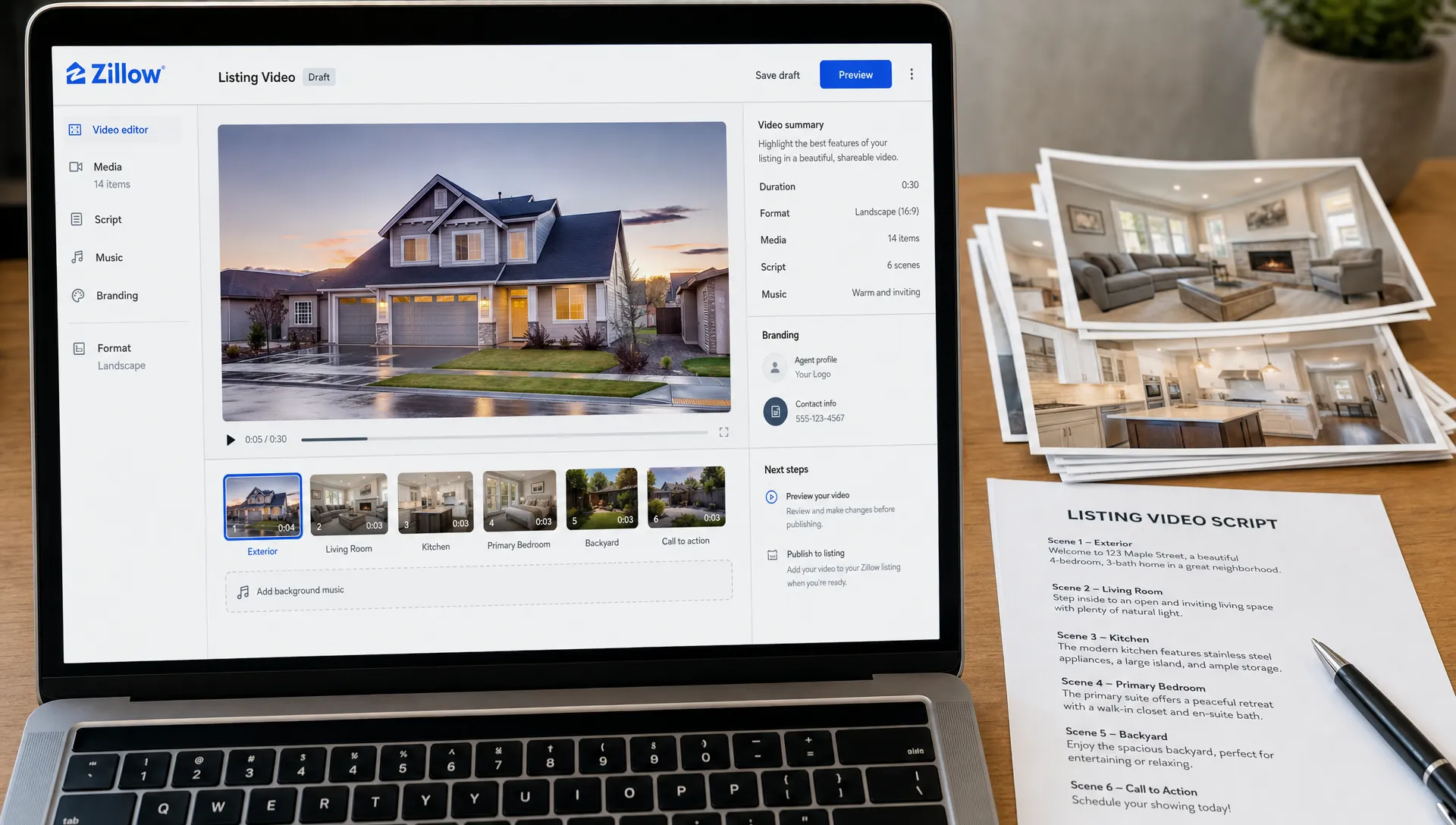
How a Zillow Listing Agent Can Add Video to a New Listing
A Zillow listing agent can use video to make a new listing easier to understand, easier to share and more memorable before a buyer ever books a showing. The key is not to produce a long cinematic tour for every property. It is to create a clear, compliant, short listing video that fits your MLS workflow, Zillow presence, website and social channels.
For many agents, the challenge is timing. A new listing already comes with photos, copy, disclosures, seller approvals and launch deadlines. Video often gets pushed to the end because it feels like a separate production project. With the right structure, it can become part of your normal listing launch process.
Why video matters for a Zillow listing agent
A Zillow listing agent is competing in a fast-scrolling environment. Buyers may compare several homes in the same price range, neighborhood and school zone within minutes. Photos show the rooms, but video helps buyers understand flow, scale and atmosphere.
That does not mean video replaces professional photography. It works best as a layer on top of the listing: photos provide detail, floor plans provide layout and a short video gives the property a guided story.
A good listing video can help with three practical jobs:
- It gives buyers a quicker sense of whether the home fits their needs.
- It gives sellers a more polished marketing asset to approve and share.
- It gives agents reusable content for social media, email and listing presentations.
The strongest videos are not just room-by-room slideshows. They explain why the home matters to a likely buyer, such as morning light in the kitchen, a flexible office, a short commute route or an outdoor space that fits the local lifestyle.
Step 1: Confirm where the video can appear
Before creating the video, check how your listing media will flow into Zillow. In many markets, Zillow receives listing data through an MLS or broker feed, so the video options available to you can depend on your MLS rules, brokerage setup and listing type.
A Zillow listing agent should confirm whether the video can be added as a native listing video, a virtual tour link, a branded tour, an unbranded tour or a separate media asset connected through the MLS. If your MLS restricts branding in certain feeds, create both branded and unbranded versions from the beginning.
Use this simple planning table before launch:
| Placement | Best video version | Why it matters |
|---|---|---|
| MLS or syndication feed | Unbranded listing tour | Helps meet compliance rules in markets that restrict agent branding |
| Zillow listing media area | Property-first video or virtual tour | Supports buyers already viewing the listing |
| Agent website | Branded video with contact details | Converts buyer interest into direct inquiries |
| Instagram, Facebook, TikTok or YouTube Shorts | Vertical short video | Extends reach beyond listing portals |
| Seller update or email campaign | Branded recap video | Shows the seller how the listing is being marketed |
If you are unsure, ask your broker, MLS support team or listing coordinator before the home goes live. It is much easier to prepare the right file formats and links in advance than to rebuild assets after launch.
Step 2: Build the video from listing assets you already have
A new listing video does not have to start with a camera crew. You can build a useful marketing video from the materials already prepared for the listing: property photos, room details, location highlights, price positioning and showing instructions.
For a typical listing, aim for 45 to 75 seconds. That length is long enough to guide buyers through the home but short enough for social viewing. If the property is luxury, highly architectural or unusually large, you can create a longer website version and keep a shorter cut for social media.
A Zillow listing agent should start with a clear script, not with the prettiest photo. The first sentence should name the buyer benefit. For example, instead of opening with the square footage, lead with the practical appeal: a move-in-ready home near commuter routes, a renovated bungalow with a private yard or a condo with low-maintenance living close to restaurants.
If you use Diane, you can turn listing details and photos into ready-to-publish real estate videos with AI narration, avatar presentation, cinematic editing, branding and social formats. That keeps the workflow focused on your message rather than manual editing.
Step 3: Use a simple listing video structure
The best structure is easy to repeat from listing to listing. It should feel polished, but it should not require you to reinvent the format every time you win a new seller.
A strong structure looks like this:
- Open with the main buyer hook in the first 3 to 5 seconds.
- Show the exterior and arrival experience.
- Move through the main living spaces in a natural order.
- Highlight 2 or 3 standout features, not every appliance and finish.
- Mention location benefits buyers actually care about.
- End with a direct call to action, such as scheduling a showing or requesting details.
This is where many videos become too generic. A kitchen pan, living room pan and bedroom pan can describe almost any house. Add context through narration: why the layout works, who the space suits and what a buyer might not notice from still photos alone.
If you want a deeper framework for short listing content, this guide on how to promote a Zillow listing with a short video breaks down how to turn a property page into a more active marketing asset.
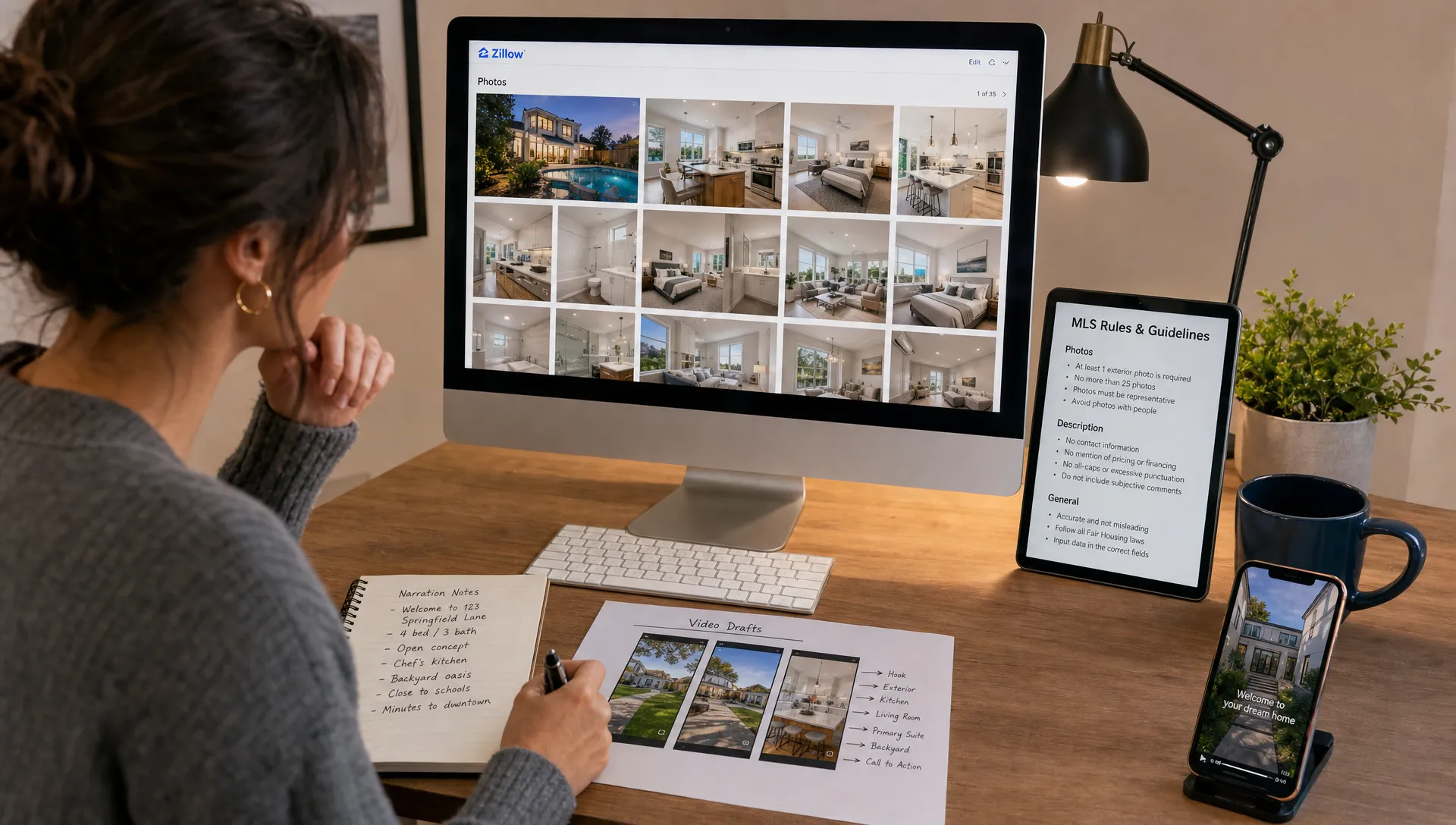
Step 4: Add the video to your listing ecosystem
Once the video is ready, think beyond one upload box. A Zillow listing agent gets more value from video when it supports the full listing ecosystem, not only the listing page.
Start with the most official path, usually your MLS or broker listing system. Add the approved video or tour link where your MLS allows it, then verify how it appears after syndication. If the video does not display exactly as expected on Zillow, you can still use it on your agent profile, website, email campaigns and social posts.
Your own website matters because you control the presentation. You can embed the branded version, add the full property description, include a showing form and create a destination for ads or social traffic. If that is part of your workflow, this guide to adding listing videos to a real estate website explains how to make the video support the property page rather than distract from it.
For social media, export vertical versions for Reels, Shorts and TikTok. Keep captions readable, avoid overcrowding the screen and make sure the opening frame is strong enough to stop a scroll.
Step 5: Make the first seconds buyer-focused
The first seconds decide whether someone watches or swipes away. Avoid opening with your logo for too long. Branding matters, but buyers care first about the property and the problem it solves.
A better opening might be: “A single-level home with a renovated kitchen and a backyard built for weekend hosting.” That tells the buyer why to keep watching. Then your branding can appear as a clean overlay or closing frame.
Trust also matters in local service marketing. Businesses in other high-trust categories, such as a dentist in West Malling and Kings Hill, present location, service details and confidence signals clearly because people need to feel comfortable before taking action. Real estate video works the same way: show the home clearly, avoid hype and make the next step obvious.
A Zillow listing agent should also avoid misleading angles, exaggerated claims or over-edited visuals that make the home feel different from reality. The video should attract qualified buyers, not create disappointment at the showing.
Step 6: Prepare branded and unbranded versions
MLS and portal rules can vary, so plan for two versions when possible. The unbranded version focuses only on the property and can be useful for syndication. The branded version includes your name, brokerage, logo, contact details, voice, face or avatar and is better suited to your website, social media and email.
This split also helps with seller communication. You can show sellers that the listing has a compliant version for distribution and a more agent-led version for active promotion. That makes your marketing process look intentional, not improvised.
A branded version can include your narration or an AI avatar introduction, but keep it balanced. The home remains the star. Your presence should guide the buyer, build trust and make it easy to contact you.
If you regularly turn listings into multiple formats, it is worth building a repeatable content workflow. The article on how to turn Zillow realty listings into social video assets covers repurposing listing information into platform-specific clips.
A new listing video checklist
Use this checklist before publishing so you do not miss the details that affect quality and compliance.
- Confirm MLS and brokerage rules for video, links and branding.
- Prepare the listing photos, property details and location highlights.
- Write a short buyer-focused script before editing.
- Create an unbranded version if required for MLS distribution.
- Create a branded version for your website, social channels and email.
- Export a horizontal version for websites and listing pages.
- Export a vertical version for social media.
- Add captions or on-screen text for people watching without sound.
- Verify the video link after syndication.
- Send the final asset to the seller as part of your launch update.
This process does not need to be complicated. The goal is to make video a default part of launching a listing, not an optional extra you only use when you have spare time.
Common mistakes to avoid
The first mistake is making the video too long. Buyers do not need every room explained in detail before deciding whether to inquire. Give them enough to understand the home and motivate the next step.
The second mistake is using generic narration. Phrases like “beautiful home” and “must see” add little value. Specific details perform better because they help buyers picture daily life in the home.
The third mistake is ignoring mobile viewing. Many buyers first see listing content on a phone, so text must be legible, pacing must be clear and the video should work even with sound off.
A Zillow listing agent should also avoid publishing once and stopping. After the listing goes live, reuse the video in a launch post, open house reminder, price update, neighborhood feature or seller report. One good video can support the entire marketing cycle.
FAQ
Can I upload a video directly to Zillow as an agent? It depends on your market, listing source, MLS feed and available Zillow tools. Many agents add video through the MLS, a virtual tour field, broker feed or supporting channels such as their website and social profiles. Always check your current MLS and Zillow workflow before launch.
How long should a new listing video be? For most homes, 45 to 75 seconds is enough. Create a shorter vertical cut for social media and a slightly longer version for your website if the property needs more context.
Should my listing video be branded or unbranded? Ideally, create both. Use the unbranded version where MLS rules or syndication requirements call for it. Use the branded version on your website, social media, email campaigns and seller updates.
Do I need to film new footage for every listing? Not always. Professional photos, listing details, AI narration, avatar presentation and cinematic editing can create a strong video when the assets are accurate and well organized. For premium listings, original footage may still be worth adding.
What should the video say that the listing description does not? The video should explain flow, lifestyle and practical buyer benefits. Use it to connect the rooms into a story, highlight what is hard to see in photos and make the next step clear.
Make video part of every new listing launch
Adding video to a new listing is not just a creative upgrade. It is a practical way to help buyers understand the property faster and help sellers see stronger marketing effort from day one.
A Zillow listing agent does not need a complex production setup to start. Build from the listing assets you already have, follow the rules for your MLS and brokerage, create versions for each channel and keep the message focused on the buyer.
If you want to create polished listing videos without slowing down your launch process, Diane can help turn property listings, photos and details into ready-to-publish real estate videos with AI narration, avatars, cinematic edits and social formats.